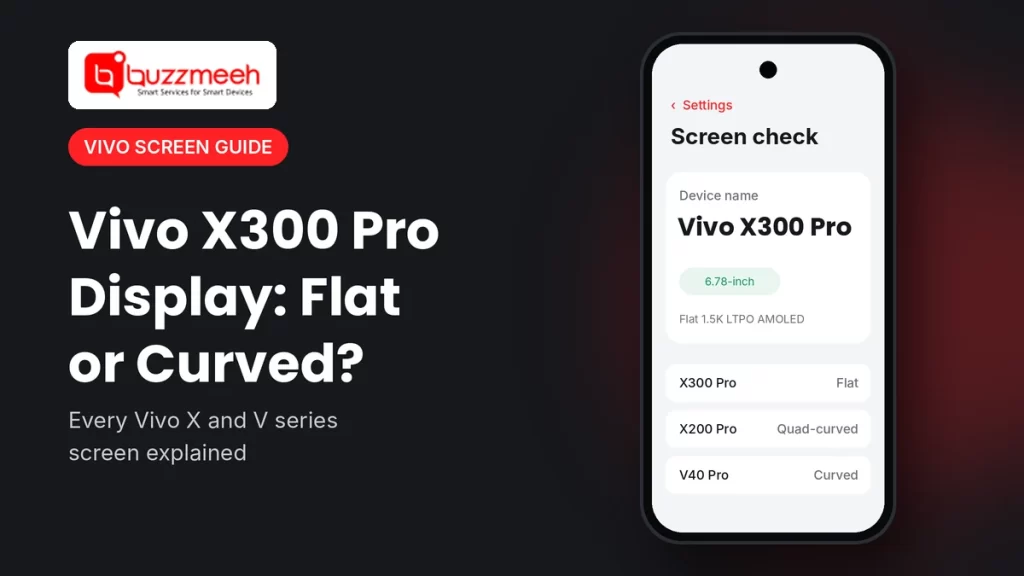
Vivo X300 Pro Display: Flat or Curved? Every Vivo X and V Series Screen Explained
Pick up a Vivo X200 Pro and then a Vivo X300 Pro, and you’ll feel the difference before you even switch them on. The older phone’s glass rolls gently over all four edges. The new one sits flat. That small change says a lot about where Vivo is heading, and the Vivo X300 Pro display is the clearest sign of it.
I repair Vivo phones every week, so I see these screens up close, often in pieces. In this guide, I explain what the Vivo X300 Pro display really is, why Vivo moved back to flat, and how it compares with every recent Vivo X and V series phone. That way, you’ll know exactly what you have before anything goes wrong.
Quick answer: The Vivo X300 Pro has a 6.78-inch flat 1.5K LTPO AMOLED display with a 120Hz refresh rate. It replaced the quad-curved screen of the X200 Pro. Among recent Vivo phones, the X300, X200 FE, X200T and V70 Elite also have flat screens. By contrast, the X200, X200 Pro, V50, V50e and V60 use a quad-curved display, while the X80 to X100 series and the V27 Pro to V40 Pro use a fully curved one.
The Vivo X300 Pro Display at a Glance
Spec sheets can feel like a wall of numbers, so here’s the front of the phone in plain words:
| Feature | Vivo X300 Pro |
|---|---|
| Size | 6.78 inches, so it’s a big screen |
| Shape | Flat, with very slim bezels on all four sides |
| Panel | BOE Q10+ LTPO AMOLED, tuned with ZEISS |
| Resolution | 1.5K (2800 × 1260) |
| Refresh rate | 1Hz to 120Hz, because the LTPO panel adjusts it to save battery |
| Peak brightness | Up to 4,500 nits, so it stays readable in strong sun |
If you have the standard Vivo X300, you get the same kind of panel. It’s just smaller, at 6.31 inches, which a lot of people with smaller hands actually love.
Why Vivo Went Back to a Flat Display
Here’s the funny part: Vivo’s flagship screens have gone full circle in about five years. The X50 and X60 came with a Vivo flat display. Then the X80, X90 and X100 moved to a curved panel that wrapped over the sides. Next, the X200 and X200 Pro switched to a quad-curved display, where the glass curves gently on all four edges. Finally, the Vivo X300 Pro display went flat again.
The V series followed a similar path. For years, phones from the V27 Pro to the V40 Pro used a Vivo curved display. After that, the V50 and V60 moved to quad-curved glass. Now the V70 Elite has a flat screen too.
So why the change? I can only tell you what I hear on the job. Most people I meet simply prefer flat. They’re tired of screen guards that lift at the edges, and of apps opening because a palm brushed the side. A flat screen fixes both, and in my experience it also survives a sideways drop better.
Vivo Curved vs Flat Display: What Changes for You
- Screen guard: A Vivo flat display takes almost any tempered glass. In contrast, a curved screen often needs a UV glue or special guard.
- Accidental touches: Palm touches at the edges happen more on a Vivo curved display, while flat screens rarely have this issue.
- Drops: Curved edges often take the hit and crack at the sides. Flat screens, on the other hand, usually crack from a corner.
- Repairs: A Vivo curved display needs more time and care to remove, whereas a flat one is quicker to fit.
- Looks: Curved and quad-curved glass looks sleek, but a Vivo flat display feels cleaner and easier to use one-handed.
Every Vivo X and V Series Screen, Model by Model
This is the part most people scroll down for. I’ve grouped the phones by screen shape, so you can spot yours in a few seconds. Each link opens that phone’s page.
Phones With a Flat Screen
| Model | Screen | Model page |
|---|---|---|
| Vivo X300 Pro | 6.78-inch flat 1.5K LTPO AMOLED | Vivo X300 Pro screen replacement cost |
| Vivo X300 | 6.31-inch flat 1.5K LTPO AMOLED | Vivo X300 screen |
| Vivo X200T | 6.67-inch flat AMOLED | Vivo X200T screen |
| Vivo X200 FE | 6.31-inch flat AMOLED | Vivo X200 FE screen |
| Vivo X60 | 6.56-inch flat AMOLED | Vivo X60 screen |
| Vivo X50 | 6.56-inch flat AMOLED | Vivo X50 screen |
| Vivo V70 Elite | 6.59-inch flat 1.5K AMOLED | WhatsApp us your model |
Quad-Curved Screen Models
| Model | Screen | Model page |
|---|---|---|
| Vivo X200 Pro | 6.78-inch quad-curved LTPO AMOLED | Vivo X200 Pro screen |
| Vivo X200 | 6.67-inch quad-curved AMOLED | Vivo X200 screen |
| Vivo V60, V50 and V50e | 6.77-inch quad-curved AMOLED | WhatsApp us your model |
Fully Curved Screen Models
| Model | Screen | Model page |
|---|---|---|
| Vivo X100 Pro and X100 | 6.78-inch curved LTPO AMOLED | Vivo X100 Pro screen · Vivo X100 screen |
| Vivo X90 Pro and X90 | 6.78-inch curved AMOLED | Vivo X90 Pro screen · Vivo X90 screen |
| Vivo X80 | 6.78-inch curved AMOLED | Vivo X80 screen |
| Vivo V40 Pro and V40 | 6.78-inch curved 1.5K AMOLED | Vivo V40 Pro screen · Vivo V40 screen |
| Vivo V30 Pro and V30 | 6.78-inch curved AMOLED | Vivo V30 Pro screen · Vivo V30 screen |
| Vivo V29 Pro and V27 Pro | 6.78-inch curved AMOLED | Vivo V29 Pro screen · Vivo V27 Pro screen |
Have a Vivo X70? Several X70 versions came out, so send us a photo and we’ll confirm yours. You can also see the Vivo X70 screen page. For the Vivo V70 Elite, V60, V50 or V50e, just WhatsApp us your model.
How to Tell Which Screen Your Vivo Has
- First, find the exact model. Open Settings, then About phone, and write down the full name, for example “vivo X300 Pro”. Don’t guess from the box; we see mix-ups all the time.
- Next, hold the phone at eye level and look at the edges. If the glass bends down into the frame on the sides, it’s curved. If it bends slightly on all four sides, it’s quad-curved.
- Then run a finger along the border. A flat screen has a clear step between the glass and the frame.
- Finally, look at your screen guard. If a regular tempered glass sits perfectly edge to edge, you almost certainly have a flat screen.
Still not sure? Read our guide on how to find your phone model, or send us a photo.
Tip from Akash, Mobile Repair Technician: “With a curved or quad-curved Vivo, most cracks start at the edge, so a case with a raised lip helps a lot. With the flat Vivo X300 Pro display, the corners take the hit instead. Either way, put a good tempered glass on it on day one. I’d much rather you break a screen guard than the panel underneath.”
Signs Your Vivo X300 Pro Display Needs Attention
First, the good news: a cracked screen guard on its own is nothing to worry about. Just swap the guard. But if you notice any of these, it’s time for a proper check:
- green, pink or white lines across the screen
- black spots or patches that grow over time
- touch not working in one area, or ghost touches
- a black screen while the phone still rings
- the in-display fingerprint sensor failing more often after a drop
If only the top glass has cracked and everything under it works, a glass-only repair may be enough. See the Vivo X300 Pro screen glass replacement page. But if the display itself has a fault, check the Vivo X300 Pro screen replacement cost.
What to Check Before Any Screen Repair
- First, back up your phone, just in case.
- Then share the exact model and a photo, so the technician brings the right flat, curved or quad-curved part.
- Ask which display type they’ll fit, and how it compares with your current screen.
- Also ask about the warranty, and get it in writing.
- Finally, test everything before you pay: touch near the edges, brightness, the fingerprint sensor and the front camera.
How Buzzmeeh Helps
- The right part, first time, because we confirm your model and screen shape before the visit.
- We repair at your home or office, so you don’t have to travel or leave your phone anywhere.
- Clear quote first, payment last, so you pay by UPI, card or cash only after testing the phone.
- Your data stays on the phone, since a screen repair doesn’t touch storage.
- Digital warranty card, as per our warranty policy. We’ve also repaired phones since 2015, with a 4.1 rating from 506 Google reviews.
Got a different Vivo? No problem. See all our Vivo mobile repair services.
Flat, curved or quad-curved? Send us a photo
Share your Vivo model, a photo of the damage and your area. Then we’ll confirm the right part, the quote and a time slot.
Vivo X300 Pro Display: FAQs
Is the Vivo X300 Pro display flat or curved?
It’s flat. In short, the Vivo X300 Pro has a 6.78-inch flat 1.5K LTPO AMOLED screen, while the X200 Pro before it had a quad-curved one.
What is a quad-curved display?
It’s glass that curves gently on all four edges instead of only the sides. You’ll find it on the Vivo X200, X200 Pro, V50, V50e and V60.
Which Vivo phones have a flat screen?
Recent ones include the X300 Pro, X300, X200T, X200 FE and V70 Elite. Older X50 and X60 models also have flat screens.
Can I fit a curved screen on a flat Vivo phone?
No. Each model needs its own display, because the glass shape, frame and connector all differ.
Are curved Vivo screens harder to repair?
Yes, a little. A Vivo curved display wraps over the edges, so the technician needs more time and care to remove and fit it.
Will the fingerprint sensor work after a screen repair?
It should, as long as the new display supports the in-display sensor. So test it before you pay.
Do you repair other Vivo X300 Pro problems?
Yes. Besides the screen, we fix the battery, speakers, charging port, cameras and buttons.
More Help
- Vivo X200 series screen comparison
- How to find your exact phone model
- How to check battery health on any phone
Final Word: We Fix More Than Screens
A damaged Vivo X300 Pro display is just one of the jobs we see in a normal week. In fact, we repair every Vivo model, from hardware faults to software issues. For example, we do the Vivo X300 Pro battery replacement, loudspeaker repair, charging repair and back glass replacement. So just WhatsApp us your model and the problem, and we’ll take it from there.
And it’s not only Vivo. Here’s everything else we fix on Vivo and other phones, right at your door:
- Screen and display repair, whether your screen is flat, curved or quad-curved
- Battery replacement, when the phone drains fast or shuts down early
- Back glass and body repair, after a crack or a dent on the back
- Charging problems, such as a loose port or slow charging
- Camera and flash repair, for blurry photos or a cracked lens
- Speaker and microphone repair, when calls sound low or people can’t hear you
Written by Akash, Mobile Repair Technician at Buzzmeeh
Akash has spent more than 10 years repairing smartphones, from flat and curved screens to batteries and charging ports, on Vivo, Samsung, iPhone, OnePlus and other brands.
Last updated: November 2026. Display details come from published Vivo specifications and launch coverage.
Buzzmeeh is an independent repair service with no link to Vivo. We use the Vivo name only to describe the phones we repair; it belongs to its owner.