How to Check Battery Health on Any Phone: iPhone, Samsung, Pixel, OnePlus and More
Your phone used to last the whole day. Now it needs a charger by 4 pm. Before you blame an app or think about a new phone, check one number: your battery health.
Most phones now show it right in Settings, but every brand hides it in a different place. Below are the exact steps for iPhone, Samsung (including Fold and Flip), Google Pixel, OnePlus, Vivo, Oppo, Xiaomi and Motorola Razr, plus what the number actually means for you.
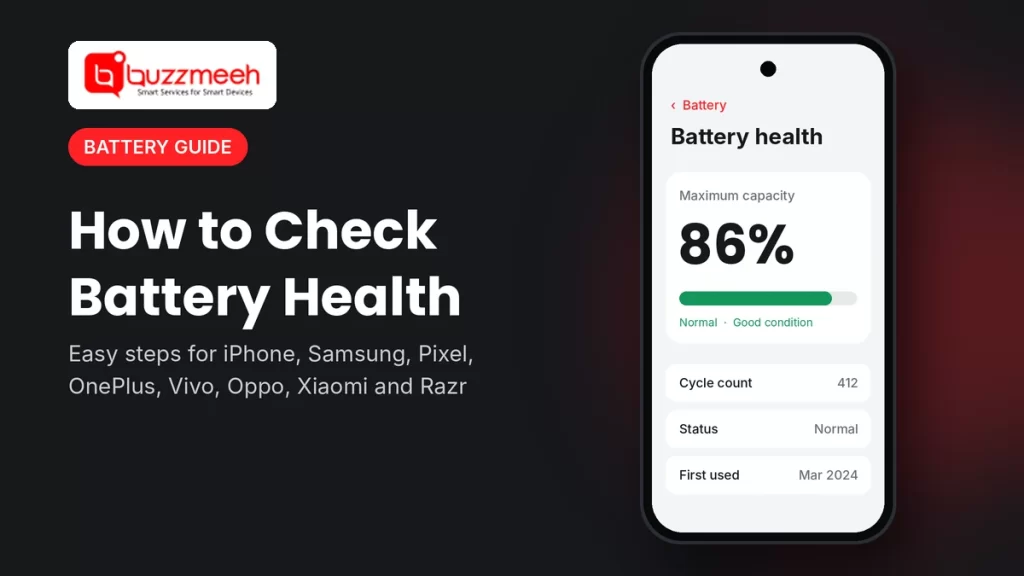
Quick answer: On most phones, go to Settings → Battery and look for Battery health or Battery information. It shows how much charge your battery can hold compared with when it was new. Above 80% is normal. Below 80%, Apple and Google both recommend a battery replacement.
Where to Find Battery Health on Every Brand
Use this table to jump straight to your phone. Menu names can change a little with software updates, so if you don’t see the exact words, look for anything with “battery health”, “battery info” or “maximum capacity”.
| Brand | Where to look | What you’ll see |
|---|---|---|
| iPhone | Settings → Battery → Battery Health | Maximum capacity %, and cycle count on iPhone 15 and newer |
| Samsung (S series, Fold, Flip) | Settings → Battery → Battery information, or the Samsung Members app | Battery health and capacity |
| Google Pixel (8a and newer) | Settings → Battery → Battery health | Normal or Reduced, and estimated capacity % |
| OnePlus | Settings → Battery → Battery health | Maximum capacity % |
| Oppo | Settings → Battery → Battery health | Maximum capacity % |
| Vivo | Settings → Battery → Battery health | Maximum battery capacity % |
| Xiaomi, Redmi, POCO | Settings → Battery → Battery protection | Battery health, charge cycles and first-use date |
| Motorola Razr | Settings → Battery → Battery info | Health, manufacture date, first-use date and cycle count |
iPhone
- Open Settings.
- Tap Battery, then Battery Health.
- Look at Maximum Capacity.
If you see “Service” or a message saying the battery has degraded, a replacement is recommended. On iPhone 15 and newer, you can also see the cycle count and when the battery was made under Settings → General → About.
Good to know: Apple says iPhone 15 and newer batteries are designed to keep 80% capacity for about 1,000 charge cycles, and older models for about 500. So an iPhone 13 at 82% after three years is quite normal.
Need a new battery? See iPhone battery replacement or all iPhone repair services.
Samsung Galaxy, Including Fold and Flip
There are two ways, and it’s worth trying both.
Option 1: Settings (One UI 7 and newer)
- Open Settings → Battery.
- Tap Battery information and look for battery health.
Option 2: Samsung Members app
- Open the Samsung Members app (it comes pre-installed).
- Go to Support → Phone diagnostics.
- Tap Battery status and let it run.
For Galaxy Z Fold and Z Flip: these phones have their battery split into two cells, one in each half of the phone. Settings shows them as one battery, so a single number covers both. If the number is low, both cells are usually replaced together.
See Galaxy Z Fold 7 battery replacement, Galaxy Z Flip 6 battery replacement, or all Samsung mobile repair services.
Google Pixel
Pixel 8a and newer (including the Pixel 9 Pro Fold):
- Open Settings → Battery → Battery health.
- The status shows Normal or Reduced. Tap Battery capacity to see the percentage.
- For cycle count and the battery’s manufacture date, go to Settings → About phone → Battery information.
“Reduced” means the battery holds less than 80% of what it did when new, and Google recommends replacing it.
Older Pixels (Pixel 8, 8 Pro, 7 series, 6a and the first Pixel Fold) don’t show a health status in Settings. If your older Pixel drains fast or shuts down early, a technician check is the reliable way to know.
See Pixel 9 Pro Fold battery replacement or all Google Pixel repair services.
OnePlus
- Open Settings → Battery.
- Tap Battery health.
- Check the number next to Maximum capacity.
This is available on recent OxygenOS versions. If you don’t see it, update the phone first under Settings → About device.
See OnePlus 12 battery replacement or all OnePlus mobile repair services.
Oppo
- Open Settings → Battery.
- Tap Battery health and check Maximum capacity.
Oppo’s ColorOS and OnePlus’s OxygenOS share a lot, so the steps are very similar. On some older Oppo models this option isn’t there.
See all Oppo mobile repair services.
Vivo
- Open Settings → Battery.
- Look for Battery health (on some models it’s called “Battery health and charging”, or sits under “More battery settings”).
- Check Maximum battery capacity. Some models show a status like “Good” or “Normal” instead of a percentage.
See all Vivo mobile repair services.
Xiaomi, Redmi and POCO
HyperOS:
- Open Settings → Battery.
- Tap Battery protection.
- Under battery info, you’ll see battery health, charge cycles and the date the battery was first used.
Older MIUI phones: open the Security app → Battery → Battery health, if it’s available on your model.
See all Xiaomi mobile repair services.
Motorola Razr
- Open Settings → Battery.
- Tap Battery info.
- You’ll see battery health, when the battery was made, when it was first used, and the cycle count.
Motorola notes that this page isn’t available in every country or on every model. If your Razr doesn’t have it, watch for the warning signs below and get it checked.
See Moto Razr 50 Ultra battery replacement or all Motorola mobile repair services.
What Your Battery Health Number Means
| Battery health | What it means | What to do |
|---|---|---|
| 90–100% | Healthy | Nothing; keep good charging habits |
| 80–89% | Normal wear for a phone that’s 1–3 years old | Keep an eye on it; replace if the phone shuts down early or feels slow |
| Below 80% | Worn; holds noticeably less charge | Replacement recommended (this is the point Apple and Google use) |
| Any number, but phone shuts down at 20–30% | The battery can’t handle peak power anymore | Get it checked |
| Any number, but the screen or back is lifting | The battery may be swollen | Stop charging and get it replaced right away |
Cycle count, simply explained: one cycle means using 100% of the battery’s charge in total, not one plug-in. Using 50% today and 50% tomorrow adds up to one cycle. The higher the count, the more the battery has worn.
Tip from Akash, Mobile Repair Technician: “Don’t go only by the percentage. I’ve seen phones showing 85% that switch off on a cold morning, and phones at 79% that still last the day. If your phone shuts down early, gets hot while charging, or the screen starts to lift, get it checked whatever the number says.”
Signs You Need a New Battery, Even Without a Health Check
- The phone switches off suddenly at 15–30% battery
- It needs charging two or three times a day with normal use
- The percentage jumps around, like 40% to 12% in a few minutes
- Apps open slowly and the phone lags, even after a restart
- It gets unusually hot while charging or doing simple tasks
- The screen or back panel has started to lift or bulge
How to Keep Your Battery Healthy for Longer
- Turn on battery protection. Most phones now have a setting that stops charging at 80–90% or charges slowly overnight. Look under Settings → Battery.
- Avoid heat. Don’t charge under a pillow, and keep the phone out of a hot car or direct sun.
- Don’t game heavily while charging. It heats the battery from two sides at once.
- Use the right charger and cable for your phone.
- Try not to let it hit 0% often. Charging between about 20% and 80% is easiest on the battery.
How Buzzmeeh Can Help
If your battery health is low, or your phone shows the warning signs above, we can check it and replace the battery at your home or office.
- Check first, then price. The technician confirms the battery is the problem and tells you the price before starting.
- Replaced in front of you for most models, including foldables like the Galaxy Z Fold, Z Flip and Moto Razr.
- Pay after the repair, by UPI, card or cash, once you’ve tested the phone.
- Your data stays on your phone. A battery replacement doesn’t touch storage.
- Digital warranty card, as per our warranty policy. Repairing phones since 2015, with a 4.1 rating from 506 Google reviews.
See prices for every model on our phone battery replacement page.
Battery health low? Book a check
Send us your phone model and a screenshot of your battery health. We’ll tell you if it needs replacing and the price.
Battery Health: FAQs
What is a good battery health percentage?
Anything above 80% is normal. Between 80% and 89% is usual wear for a phone that’s one to three years old. Below 80%, a replacement is recommended.
Why doesn’t my Android phone show battery health?
Not every model or software version has this page yet. Update your phone first. If it still doesn’t appear, watch for signs like early shutdowns or fast drain, and get the battery checked.
Are battery health apps accurate?
Third-party apps only estimate battery health by watching how your phone charges over several days. The number in your phone’s own settings, or a technician’s check, is more reliable.
Does a new battery make my phone faster?
Often, yes. Many phones slow themselves down to protect a worn battery from shutting down. A new battery can bring back normal speed.
How often should I check battery health?
Once every few months is enough, or any time you notice the battery draining faster than usual.
Is the battery health number the same on a Fold or Flip phone?
Yes. Foldable phones like the Galaxy Z Fold, Z Flip and Moto Razr may have more than one battery cell inside, but the phone shows one combined health reading.
Will I lose my data if I replace the battery?
No. A battery replacement doesn’t touch your storage. It’s still a good habit to back up before any repair.
More Battery Help
- How to make your phone battery last longer
- Early signs your iPhone needs a new battery
- Phone repair or new phone? How to decide
Written by Akash, Mobile Repair Technician at Buzzmeeh
Akash has spent more than 10 years repairing smartphones, from screens and batteries to charging ports, on iPhone, Samsung, OnePlus and other brands.
Last updated: November 2026. Steps were checked against each brand’s settings and help pages at the time of writing. Menu names can change slightly with software updates.
Buzzmeeh is an independent repair service. Brand and model names are used only to describe the phones we repair, and belong to their owners.