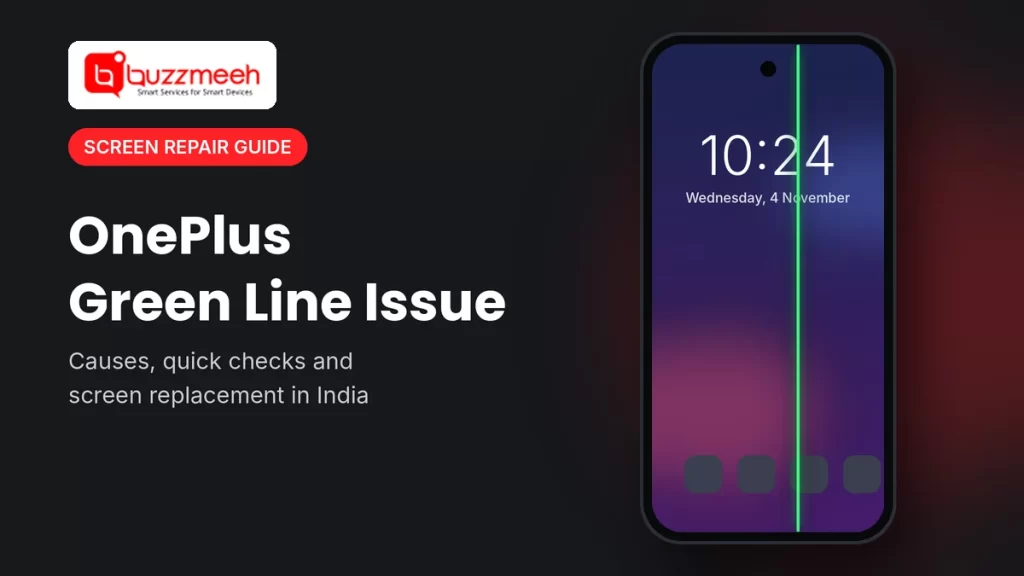
OnePlus Green Line Issue: Causes, Fixes and Screen Replacement in India
You pick up your OnePlus one morning and there it is: a thin green line running from the top of the screen to the bottom. You restart the phone. It’s still there. You update the software. Still there.
We see this almost every week. The line comes from a fault inside the display panel, so no setting or app will clear it. The good part is that in India, OnePlus replaces the display for free in most green line cases. Here’s what causes it, how to be sure it’s a green line fault, and how to get it fixed without paying more than you need to.
Quick answer: The OnePlus green line is caused by a fault inside the AMOLED display panel. A restart, update or factory reset won’t remove it. The fix is a new display. In India, OnePlus replaces the display free at its own service centres under its lifetime display warranty, as long as the phone has no physical or liquid damage.
| Question | Short answer |
|---|---|
| What causes it? | A fault inside the AMOLED display panel |
| Will an update fix it? | No |
| Which phones get it most? | OnePlus 8, 8 Pro, 8T, 9, 9 Pro, 9R, 9RT, 10 Pro, 10R |
| Does OnePlus replace it free? | Yes in India, if there’s no physical or liquid damage |
| Where do I claim it? | At a OnePlus service centre |
| What if I’m not covered? | A paid display replacement |
What Is the OnePlus Green Line Issue?
It’s a straight vertical line, usually green, sometimes pink or white, that stays on the screen whatever you open. It shows on the lock screen, in apps, in videos, everywhere.
Most people notice it suddenly. For some it shows up right after a software update. For others it appears after a hot summer, or simply after the phone turns three or four years old. It can start faint and get brighter over a few weeks, and now and then a second line joins the first. In our experience, it doesn’t fade away by itself.
Which OnePlus Models Are Affected?
Any phone with an AMOLED screen can get a green line, and that includes most OnePlus phones. Even so, the bulk of cases we hear about come from the older flagships and their R versions.
| Series | Models we see most often |
|---|---|
| OnePlus 8 | OnePlus 8, 8 Pro, 8T |
| OnePlus 9 | OnePlus 9, 9 Pro, 9R, 9RT |
| OnePlus 10 | OnePlus 10 Pro, 10R |
| OnePlus 11 and newer | A few cases on the 11, 11R and 12 |
| Nord | A few cases on Nord CE models |
This isn’t a OnePlus-only problem. Samsung, Google Pixel, Vivo, Nothing and Motorola phones with AMOLED screens get it too. OnePlus hears about it more because it sells a huge number of phones in India, and most of the complaints come from here.
Why Does the Green Line Appear?
There’s no single reason. Even OnePlus says it’s a mix of factors. From the phones that come to our bench, these are the ones that matter:
- Moisture creeping into the panel. Over the years, tiny amounts of moisture and air get in through the edges of the screen. They damage the thin circuit that controls one column of pixels, and that column lights up as a fixed line.
- Heat and humidity. A Delhi summer followed by a wet monsoon speeds this up a lot. That’s a big reason India sees so many cases.
- Age. The glue layers and tiny connections at the screen’s edge get weaker with time, with heat from fast charging and gaming, and with the phone being squeezed in a tight pocket.
- A drop you’ve forgotten about. A fall can crack the inner layers without breaking the glass. The line can show up days or even weeks later.
- A software update. This one confuses a lot of people. The update doesn’t damage the screen. It can, though, change how the screen is driven, and that brings out a fault that was already on its way.
OnePlus has since added an extra edge seal to its newer AMOLED screens and tests them in very hot and humid conditions, so newer models should see it far less.
Tip from Akash, Mobile Repair Technician: “People sometimes press hard on the line or leave the phone in the sun, hoping it’ll go away. Please don’t. It never works, and if the screen cracks, the free replacement from OnePlus no longer applies. Then you’re paying for something you could have got for free.”
Can You Fix the Green Line Yourself?
Honestly, no. The fault is inside the screen, so the only real fix is a new display. That said, these five checks take a few minutes and tell you for sure what you’re dealing with:
- Take a screenshot and open it. If the line isn’t in the screenshot, the problem is the screen itself, not the software.
- Restart the phone. A rare software glitch can draw a line. A hardware line will still be there after the restart.
- Check for updates in Settings → About device. It won’t remove a hardware line, but it rules out a software bug.
- Try Safe Mode. If the line stays with downloaded apps switched off, no app is causing it.
- Look for other signs. Touch not working near the line, flickering, or a dark patch usually means wider damage to the screen.
Skip these: “green line fixer” apps, pressing or warming the screen, changing the resolution or refresh rate, and factory resets. None of them touch the actual fault.
Is It the Green Line, or Something Else?
| What you see | What it usually means | What to do |
|---|---|---|
| One thin green, pink or white line that never goes | Green line fault in the AMOLED panel | Display replacement, free from OnePlus if eligible |
| Lots of coloured lines, black blotches or ink-like spots | The screen was damaged, often by a drop | Paid display replacement |
| Flickering, but no line that stays | Software, refresh rate setting or a loose display cable | Update and restart, then get it checked |
| The line also shows in screenshots | A software or app glitch | Update, restart or remove the app |
| Touch stops working along the line | Damage to the screen and the touch layer | Display replacement |
Does OnePlus Replace the Screen for Free?
In most cases, yes, at OnePlus’s own service centres. OnePlus India runs a lifetime display warranty for the green line. If your OnePlus develops one, its service centres replace the display free of charge, even if the phone is well past its normal one-year warranty. This covers old models as well as new ones.
You’ll usually qualify if:
- You bought the phone in India from a proper store or website (keep the bill handy)
- The green line is the only problem
- You take it to a OnePlus service centre
It may not be covered if:
- The screen is cracked, the phone was dropped, or it got wet
- The screen has already been opened or changed somewhere else
- Your model is very old and OnePlus no longer has the part
The service centre makes the final call on the day you visit.
How to claim it:
- Back up your phone.
- Go to your nearest OnePlus service centre with the bill, if you have it.
- Tell them it’s a green line and ask for the free display replacement under the lifetime display warranty.
- If they say no, ask them to write down the reason. It helps if you want to follow up.
If your phone qualifies, go there first. A free fix is a free fix.
Not Covered? Here Are Your Options
Sometimes the claim gets turned down because of a crack or water damage. Or there’s simply no service centre near you. Then you’re looking at a paid display replacement, and you have three ways to get it done:
| Where | Good for | Ask about |
|---|---|---|
| OnePlus service centre (paid) | Phones with other damage, if you’d rather stay with OnePlus | How long it’ll take, and whether the part is in stock |
| Doorstep repair, like Buzzmeeh | When you can’t get to a centre, or want to watch the repair | Which display they’re fitting, the warranty, and when you pay |
| Local repair shop | Quick, nearby repairs | Display quality, warranty, and how they handle your data |
Ask which display is being fitted. Replacement displays come in different types and prices. An AMOLED display gives you the same rich colours, brightness and in-display fingerprint unlock you had before. Whoever does the repair, ask them to explain the display options and the price of each, so you can pick what suits you. At Buzzmeeh, we walk you through this before we start.
Screen Replacement Price for Your OnePlus Model
The price depends on your model and on the type of display you pick. Tap your phone to see the current price:
When to Call Buzzmeeh
Buzzmeeh is a paid repair service; the free replacement is offered only by OnePlus at its own service centres. So if your phone qualifies, take it there. We’d rather tell you that than charge you. Call us when the claim is turned down, when the screen is also cracked or water-damaged, or when getting to a service centre just isn’t practical.
- We come to you. Home or office, and for most models the screen is changed right there while you watch.
- No surprises on the screen. We tell you which type of display we’re fitting and what each option costs before we start.
- You pay after it’s done. Check the phone first, then pay by UPI, card or cash.
- Your photos and chats stay put. Changing a screen doesn’t touch the phone’s storage.
- Fixing phones since 2015, with a 4.1 rating from 506 Google reviews.
- Every repair comes with a digital warranty card, as per our warranty policy.
Book a OnePlus screen repair
Send us your OnePlus model and your area. We’ll tell you the price and a time that suits you.
OnePlus Green Line Issue: FAQs
Can a software update fix the OnePlus green line?
No. The line comes from a fault in the screen itself. An update might be when you first notice it, but it can’t repair the screen.
Will the green line spread or get worse?
Often it stays as one line. It can get brighter, though, and sometimes a second line appears. It rarely goes away on its own.
Does OnePlus replace a green line screen for free?
In India, yes, in most cases, at OnePlus service centres. The phone should be bought in India from a proper store or website, the green line should be the only problem, and OnePlus should still have the part. Drops and water damage aren’t covered.
My phone is out of warranty. Will OnePlus still replace it free?
Yes. The green line warranty is separate from the normal one-year warranty and keeps going after it ends.
My screen is cracked and has a green line. Will OnePlus still replace it free?
Usually not. A crack counts as outside damage, so you’ll most likely need a paid display replacement.
Will I lose my data when the screen is replaced?
No. Changing the screen doesn’t touch your storage. Back up anyway before any repair; it’s a good habit.
Do other brands get the green line too?
Yes. Samsung, Google Pixel, Vivo, Nothing and Motorola phones with AMOLED screens get it as well.
More OnePlus Help
- Not sure it’s the screen? Read 5 warning signs your OnePlus screen needs replacement
- Screen cracked? See what to do next with a cracked OnePlus screen
- Phone got wet? Learn how to spot water damage on a OnePlus
Written by Akash, Mobile Repair Technician at Buzzmeeh
Akash has spent more than 10 years repairing smartphones, from screens and batteries to charging ports, on OnePlus, Samsung, iPhone and other brands.
Last updated: November 2026. Warranty terms can change, and OnePlus service centres make the final decision on each phone.
Buzzmeeh is an independent repair service. We are not part of, or linked to, OnePlus. The OnePlus name and model names are used only to describe the phones we repair, and belong to their owner.