How to Find Your Exact Phone Model Before a Screen Replacement
“It’s a Samsung Fold.” “It’s an iPhone 15, I think.” We hear this every day when someone books a screen repair. The trouble is, an iPhone 15 and an iPhone 15 Pro use different screens. A Galaxy Z Fold 6 and Fold 7 don’t share parts. Even the inner and outer screen on the same foldable are two different repairs.
Knowing your exact model before you book means the right part comes with the technician, the price you’re quoted is the price you pay, and the repair happens in one visit. It takes about 30 seconds. Here’s how to find it on every major brand.
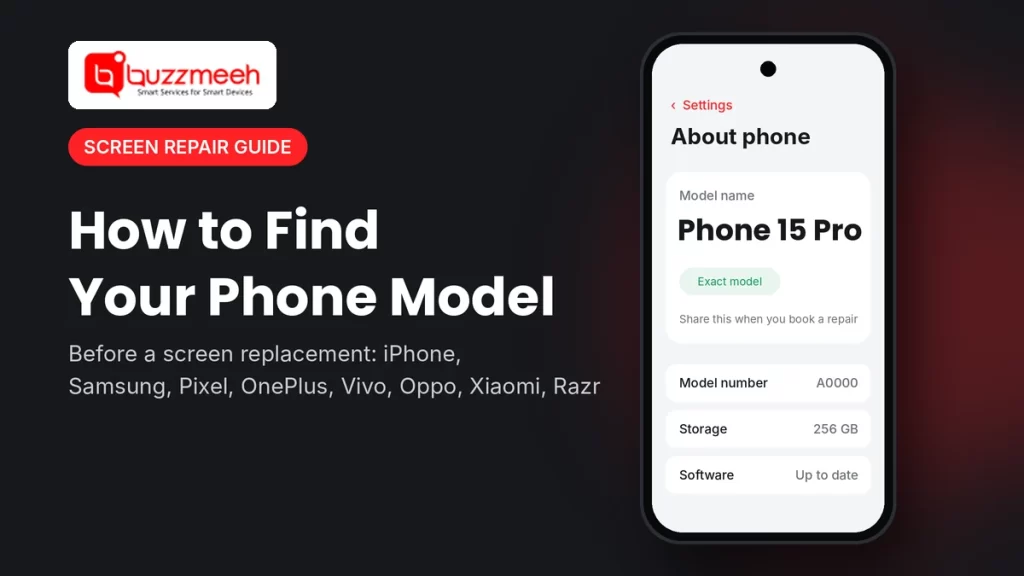
Quick answer: On almost every phone, go to Settings → About phone (on iPhone: Settings → General → About). You’ll see the model name, like “iPhone 15 Pro” or “Galaxy Z Fold7”, and a model number. Share both when you book a repair. If the screen is too broken to use, check the box, the bill, or the devices list in your Apple or Google account.
Why the Exact Model Matters for a Screen Replacement
- Pro, Plus, Max and Ultra use different screens. They differ in size, shape and display technology, so one won’t fit the other.
- Foldables have two screens. A Fold, Flip, Razr, Pixel Fold or OnePlus Open has an inner folding screen and an outer cover screen. Each is a separate repair with its own price.
- Similar names, different phones. Redmi Note 13 Pro and Redmi Note 13 Pro+ look alike but aren’t the same phone. Neither are the Vivo X200 and X200 Pro.
- One visit instead of two. With the right model, the technician brings the right part the first time.
Where to Find Your Model on Every Brand
| Brand | Where to look | What you’ll see |
|---|---|---|
| iPhone | Settings → General → About | Model Name (e.g. iPhone 15 Pro) and Model Number |
| Samsung (Fold, Flip, S series) | Settings → About phone | Model name (e.g. Galaxy Z Fold7) and model number starting with SM- |
| Google Pixel | Settings → About phone | Model (e.g. Pixel 9 Pro Fold) |
| OnePlus | Settings → About device | Device name and model number |
| Oppo | Settings → About device | Device name and model number |
| Vivo | Settings → About phone | Phone name and model number |
| Xiaomi, Redmi, POCO | Settings → About phone | Device name and model |
| Motorola Razr | Settings → About phone | Model name and number |
iPhone
- Open Settings → General → About.
- Look at Model Name, for example “iPhone 14 Plus” or “iPhone 17 Pro Max”.
- Tap Model Number once to see the code that starts with “A”. That’s the most exact identifier.
Screen not working? On iPhone 8 and newer, the model number is printed inside the SIM tray slot. You can also see the model on the box, or by signing in to your Apple Account on another device and checking your devices list.
Find your iPhone’s price: iPhone 13 screen replacement · iPhone 13 mini screen replacement · iPhone 14 screen replacement cost · iPhone 14 Plus screen replacement cost · iPhone 14 Pro screen replacement cost · iPhone 15 screen replacement cost · iPhone 15 Pro screen replacement cost · iPhone 15 Pro Max screen replacement cost · iPhone 16 screen replacement cost · iPhone 16 Pro screen replacement cost · iPhone 16e screen replacement cost · iPhone 17 Pro screen replacement cost · iPhone 17 Pro Max screen replacement cost
Not the screen? See iPhone battery replacement, iPhone 13 battery replacement, iPhone 15 Pro back glass replacement cost, or all iPhone repair services.
Samsung Galaxy Z Fold and Z Flip
- Open Settings → About phone.
- Note the Model name, for example “Galaxy Z Fold6” or “Galaxy Z Flip7”.
- Note the Model number. It starts with “SM-“. As a quick guide, Fold models usually start with SM-F9 and Flip models with SM-F7.
Tell us which screen is broken. On a Fold, the inner screen is the big folding display and the outer screen is the cover display on the front. On a Flip, the inner screen is the main folding display and the outer one is the small cover screen. The prices are very different, so this one detail matters a lot.
Samsung Fold prices: Samsung Fold 5 screen replacement cost · Samsung Fold 6 screen replacement cost · Fold 6 inner screen · Fold 6 outer screen · Samsung Fold 7 screen replacement cost · Fold 7 outer screen
Samsung Flip prices: Samsung Flip 5 screen replacement cost · Samsung Flip 6 screen replacement cost · Flip 6 inner screen · Flip 6 outer screen · Samsung Flip 7 screen replacement cost · Samsung Z Flip screen repair cost
Hinge feels loose or the screen flickers when you fold it? That’s often the hinge or the flex cable, not the screen itself. See Samsung Fold hinge repair cost or Fold 5 hinge repair, or all Samsung mobile repair services.
Google Pixel
- Open Settings → About phone.
- Look at Model, for example “Pixel 9 Pro” or “Pixel 9 Pro Fold”.
Pixel names are easy to mix up: a Pixel 9 Pro, 9 Pro XL and 9 Pro Fold are three different phones with three different screens. If the screen won’t work, sign in to your Google Account on another device and open Security → Your devices to see the model.
Find your Pixel’s price: Google Pixel 8 Pro screen replacement cost · Google Pixel 9 Pro screen replacement cost · Pixel 9 Pro XL screen replacement · Google Pixel 9 Pro Fold screen replacement cost · all Google Pixel repair services
OnePlus
- Open Settings → About device.
- Note the device name (for example “OnePlus 12R”) and the model number.
Watch the letters: OnePlus 12 and 12R, or Nord CE 4 and Nord CE 4 Lite, are different phones. For the OnePlus Open, tell us whether the inner or outer screen is damaged.
Find your OnePlus price: OnePlus Nord CE 3 screen replacement cost · OnePlus Nord 3 screen replacement cost · OnePlus Nord CE 4 screen replacement cost · OnePlus Nord 5 screen replacement cost · OnePlus Nord 6 · OnePlus Nord CE6 5G · OnePlus Nord CE6 Lite · OnePlus N6 5G · OnePlus 8T screen replacement cost · OnePlus 9 screen replacement cost · OnePlus 9R screen replacement cost · OnePlus 10R screen replacement cost · OnePlus 10T screen replacement cost · OnePlus 11R screen replacement cost · OnePlus 12 screen replacement cost · OnePlus 12R screen replacement cost · OnePlus 13 screen replacement cost · OnePlus 13R screen replacement cost · OnePlus 13s screen replacement cost · OnePlus 15 screen replacement cost · OnePlus Open screen replacement cost · all OnePlus mobile repair services
Oppo
- Open Settings → About device.
- Note the device name (for example “OPPO Reno12 Pro”) and the model number.
The Reno series has a standard, a Pro and sometimes a Pro+ version in the same year, each with a different screen.
Find your Oppo price: OPPO Reno12 Pro screen replacement cost · OPPO Reno13 Pro screen replacement cost · OPPO Find X8 Pro screen replacement cost · all Oppo mobile repair services
Vivo
- Open Settings → About phone.
- Note the phone name (for example “vivo X200 Pro”) and the model number, which usually starts with “V”.
Vivo’s X series has a standard, Pro, FE and T version, and the V series has Pro and “e” versions. Check the full name, not just the number.
Find your Vivo price: Vivo X200 screen replacement cost · Vivo X200 Pro screen replacement cost · Vivo X200 FE screen replacement cost · Vivo X200T screen replacement cost · Vivo V40 Pro screen replacement cost · all Vivo mobile repair services
Xiaomi, Redmi and POCO
- Open Settings → About phone.
- Note the device name (for example “Redmi Note 13 Pro+ 5G”). For the full model details, tap Detailed info and specs if your phone has it.
The “+” matters: Redmi Note 13 Pro and Redmi Note 13 Pro+ use different screens.
Find your Xiaomi price: Redmi Note 13 Pro 5G screen replacement cost · Redmi Note 13 Pro+ 5G screen replacement cost · Redmi Note 14 Pro+ 5G screen replacement cost · Xiaomi 14 Ultra screen replacement cost · all Xiaomi mobile repair services
Motorola Razr
- Open Settings → About phone.
- Note the model name, for example “motorola razr 50 ultra”.
Razr phones come as a standard and an Ultra version each year. The Ultra has a much bigger outer screen, so the parts and prices differ. Tell us whether the inner or outer screen is broken.
Find your Razr price: Motorola Razr 40 Ultra screen replacement cost · Motorola Razr 50 Ultra screen replacement cost · Motorola Razr 60 Ultra screen replacement cost · Motorola Razr screen replacement cost · all Motorola mobile repair services
Screen Too Broken to Read? 4 Other Ways to Find Your Model
- The box. The model name and number are printed on the label on the back or side.
- The bill or invoice. Check your email or the shopping app you bought it from.
- Your account’s device list. iPhone: your Apple Account on another device shows every device signed in. Android: Google Account → Security → Your devices. Samsung phones also appear in your Samsung Account.
- The SIM tray (iPhone). On iPhone 8 and newer, the model number is printed inside the SIM tray slot.
Tip from Akash, Mobile Repair Technician: “When you message us, send a photo of the About phone screen, or the box label, along with a photo of the damage. That’s all we need. Nine times out of ten, the mix-ups we see are between Pro and non-Pro, or inner and outer screens on foldables.”
What to Send When You Book a Screen Repair
- The exact model name, and the model number if you have it
- Which screen is broken, for foldables (inner, outer or both)
- A photo of the damage
- Whether touch still works, and whether the phone turns on
- Your area, so we can confirm a time slot
How Buzzmeeh Helps
- Price confirmed before we start, based on your exact model.
- The right part comes with the technician, so most screens are replaced in one visit, at your home or office.
- Pay after the repair, by UPI, card or cash, once you’ve tested the phone.
- Your data stays on your phone. A screen replacement doesn’t touch storage.
- Digital warranty card, as per our warranty policy. Repairing phones since 2015, with a 4.1 rating from 506 Google reviews.
In Lucknow? We cover Lucknow too: iPhone repair in Lucknow · Samsung repair in Lucknow · OnePlus repair in Lucknow · Google Pixel repair in Lucknow · Motorola repair in Lucknow · Oppo repair in Lucknow
Know your model? Get your price
Send us your model name and a photo of the damage. We’ll confirm the price and a time slot.
Finding Your Phone Model: FAQs
Where do I find my phone’s model name?
On most Android phones, go to Settings → About phone. On an iPhone, go to Settings → General → About. The model name is shown at the top.
What’s the difference between model name and model number?
The model name is the one you know, like “Galaxy Z Flip6”. The model number is a code, like one starting with “SM-” on Samsung or “A” on iPhone. The number is more exact, because it also tells the region and version.
How do I find my model if the screen is completely black?
Check the box label, your purchase bill, or the devices list in your Apple, Google or Samsung account on another device. On iPhone 8 and newer, the model number is also printed inside the SIM tray slot.
Do Pro and non-Pro models use the same screen?
No. Pro, Plus, Max and Ultra versions usually have a different screen size or display type, so the parts aren’t interchangeable.
Why do foldable phones need extra details?
Foldables like the Galaxy Z Fold, Z Flip, Moto Razr, Pixel Fold and OnePlus Open have two screens. The inner and outer screens are separate repairs with different prices, so tell us which one is broken.
Can I book a repair without knowing the exact model?
Yes. Send us a photo of the phone, front and back, and we’ll help you identify it. Knowing the exact model just makes the quote faster and more accurate.
More Help
- How to check battery health on any phone
- Phone repair or new phone? How to decide
- OnePlus green line issue: causes and fixes
Written by Akash, Mobile Repair Technician at Buzzmeeh
Akash has spent more than 10 years repairing smartphones, from screens and batteries to charging ports, on iPhone, Samsung, OnePlus and other brands.
Last updated: November 2026. Menu names can change slightly with software updates.
Buzzmeeh is an independent repair service. Brand and model names are used only to describe the phones we repair, and belong to their owners.