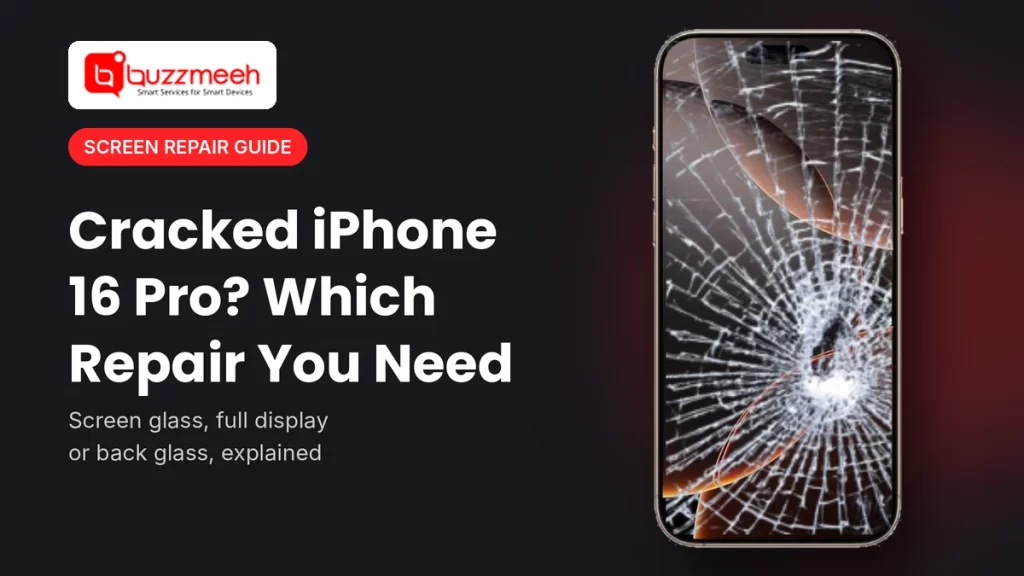
Cracked iPhone 16 Pro? Screen Glass, Full Display or Back Glass: Which Repair Do You Need?
Most of our iPhone calls start the same way. The phone slipped while someone was paying an auto driver or getting out of a car, and now the screen looks like a spider web. Then comes the big question: “How much will it be?” Honestly, we can’t say until we know what the drop actually broke. The top glass, the display under it and the back glass are three different parts, so they’re three different repairs.
I’ve opened a lot of these phones, so here’s the simple version. Below, I explain the three repairs for an iPhone 16 Pro cracked screen. Then I show you a two-minute check you can do at home, so you book the right repair the first time and don’t pay for a part you didn’t need.
Quick answer: If only the top glass has a crack and the picture and touch still work perfectly, fixing only the iPhone 16 Pro cracked glass is usually enough. If you see lines, black patches, flicker or dead touch, that points to iPhone 16 Pro display damage, so the whole screen needs changing. And for an iPhone 16 Pro back glass crack, only the back needs work, because the back glass is a separate part.
Three Repairs for an iPhone 16 Pro Cracked Screen
First, a quick look at the front of this phone. The iPhone 16 Pro has a 6.3-inch flat OLED screen with ProMotion up to 120Hz, the Dynamic Island at the top and a Camera Control button on the side. Ceramic Shield glass covers the front, and the touch layer and the display sit right under it. So when you drop it, one layer or all of them can take the hit:
| Repair | When you need it | What the technician changes |
|---|---|---|
| Screen glass replacement | The glass has a crack, but the picture and touch still work fine. | Only the top glass, while your current display stays in place. |
| Full display replacement | You see lines, black spots, flicker or touch problems. | The whole screen, because the drop also hurt the display under the glass. |
| Back glass replacement | The crack is on the back of the phone, around or below the cameras. | Only the back glass, since the front screen stays as it is. |
Find the Damage in Two Minutes
- First, open something white. A blank note works well. Turn brightness all the way up and look closely. Do you see lines, dark patches or odd colours?
- Next, test touch everywhere. Hold an app icon and drag it slowly over every part of the screen, especially across the crack. If the icon drops or jumps, touch has a problem.
- Then try Face ID. Lock the phone and unlock it a few times, because a hard fall can knock the front sensors too.
- Finally, flip the phone over. People forget this step all the time. Check the back glass and the ring around each camera.
Done? Now take two photos of your iPhone 16 Pro cracked screen, one of the front and one of the back. Send them to us, and we’ll usually know which repair you need before we even leave for your place.
When Fixing Only the iPhone 16 Pro Cracked Glass Is Enough
Good news first. Fixing only the iPhone 16 Pro cracked glass works when the damage stays on the surface. Say the crack runs across one corner, but everything under it still behaves normally. You’re likely in this group if:
- the picture looks normal, with no lines or patches
- touch works across the whole screen, even over the crack
- brightness and colours look the same as before the drop
One warning, though: don’t live with it for months. A cracked glass lets in dust and sweat, and in my experience the crack slowly works its way down to the display.
Signs of iPhone 16 Pro Display Damage
Now the less happy case. If the drop also hit the display under the glass, a new top glass won’t help. Instead, these signs of iPhone 16 Pro display damage mean the whole screen needs changing:
- green, pink or white lines across the screen
- black spots or patches that grow over time
- flicker, or a screen that stays black while the phone still rings
- touch not working in one area, or ghost touches
If that sounds like your phone, check the iPhone 16 Pro screen replacement cost. But if it’s only the glass, see the iPhone 16 Pro screen glass replacement page instead.
What to Do About an iPhone 16 Pro Back Glass Crack
Sometimes the front survives and the back doesn’t. You turn the phone over and find an iPhone 16 Pro back glass crack running across it. The good part is that the back glass on this model comes off as its own part, so nobody needs to touch your screen. Still, don’t leave it for long, because a cracked back can nick your fingers and let moisture in.
While you’re at it, look at the camera lenses too. If a lens has cracked, mention it, since that’s a separate repair. For the back, see the iPhone 16 Pro back glass replacement cost.
Tip from Akash, Mobile Repair Technician: “With an iPhone 16 Pro cracked screen, almost everyone checks the front and forgets the back. So flip it over and look at the back glass and lenses before you call anyone. And after the repair, put a tempered glass on straight away. I’d much rather you break a screen guard than your new display.”
Screen and Back Glass Pages for Every Recent iPhone
Got another iPhone at home, or helping a family member with theirs? Find the model below. Each link opens the details for that exact phone.
iPhone 16 Series
| Model | Screen | Back glass |
|---|---|---|
| iPhone 16 | iPhone 16 screen | iPhone 16 back glass |
| iPhone 16 Plus | iPhone 16 Plus screen | iPhone 16 Plus back glass |
| iPhone 16 Pro | iPhone 16 Pro screen replacement cost | iPhone 16 Pro back glass replacement cost |
| iPhone 16 Pro Max | iPhone 16 Pro Max screen | iPhone 16 Pro Max back glass |
| iPhone 16e | iPhone 16e screen | iPhone 16e back glass |
Newest: iPhone 17 Series
| Model | Screen | Back glass |
|---|---|---|
| iPhone 17 | iPhone 17 screen | iPhone 17 back glass |
| iPhone 17 Pro | iPhone 17 Pro screen | iPhone 17 Pro back glass |
| iPhone 17 Pro Max | iPhone 17 Pro Max screen | iPhone 17 Pro Max back glass |
Previous: iPhone 15 Series
| Model | Screen | Back glass |
|---|---|---|
| iPhone 15 | iPhone 15 screen | iPhone 15 back glass |
| iPhone 15 Plus | iPhone 15 Plus screen | iPhone 15 Plus back glass |
| iPhone 15 Pro | iPhone 15 Pro screen | iPhone 15 Pro back glass |
| iPhone 15 Pro Max | iPhone 15 Pro Max screen | iPhone 15 Pro Max back glass |
Older: iPhone 14 Series
| Model | Screen | Back glass |
|---|---|---|
| iPhone 14 | iPhone 14 screen | iPhone 14 back glass |
| iPhone 14 Plus | iPhone 14 Plus screen | iPhone 14 Plus back glass |
| iPhone 14 Pro | iPhone 14 Pro screen | iPhone 14 Pro back glass |
| iPhone 14 Pro Max | iPhone 14 Pro Max screen | iPhone 14 Pro Max back glass |
Not sure which model you have? Then read how to find your phone model, or see all iPhone repair services.
What to Check Before Any Screen Repair
Before you book a fix for your iPhone 16 Pro cracked screen, run through this list. It takes five minutes and saves a lot of trouble later:
- First, back up your iPhone to iCloud or a computer. A screen repair doesn’t touch your data, but a backup is a good habit.
- Then send photos of the damage, front and back, so the technician brings the right part.
- Ask which display type they’ll fit, and how it compares with the screen you have now.
- Also ask about the warranty, and get it in writing.
- Finally, test everything before you pay: touch, brightness, True Tone, Face ID, the front camera and the earpiece.
How Buzzmeeh Helps
- The right repair, first time, because we check photos of your iPhone 16 Pro cracked screen and confirm whether you need glass, display or back glass.
- We repair at your home or office, so you don’t have to travel or leave your iPhone anywhere.
- Clear quote first, payment last, so you pay by UPI, card or cash only after testing the phone.
- Your data stays on the phone, since a screen or back glass repair doesn’t touch storage.
- Digital warranty card, as per our warranty policy. We’ve also repaired phones since 2015, with a 4.1 rating from 506 Google reviews.
In Lucknow? We fix iPhones there too. See iPhone repair in Lucknow.
Glass, display or back? Send us a photo
Share a photo of the damage, front and back, with your area. Then we’ll confirm the right repair and the iPhone 16 Pro screen replacement cost or back glass quote, plus a time slot.
iPhone 16 Pro Cracked Screen: FAQs
Can I replace only the glass on my iPhone 16 Pro?
Yes, if the display under the glass still works perfectly. However, lines, black spots or touch problems point to iPhone 16 Pro display damage, so you need a new screen.
How do I know if the problem is the display or just the glass?
With an iPhone 16 Pro cracked screen, open a white screen at full brightness and test touch everywhere. If the picture and touch work normally, usually only the glass has a crack.
Is the iPhone 16 Pro back glass a separate part?
Yes. The back glass comes off on its own, so a cracked back doesn’t mean you need a new screen.
Can I keep using an iPhone 16 Pro with a crack on the screen?
For a short time, yes. Still, the crack can cut your finger, spread, or let dust and moisture in, so book a repair soon.
Will Face ID work after a screen replacement?
Yes. Face ID sits in the TrueDepth camera, not in the display, so it keeps working when the technician handles it with care. Test it before you pay.
Will I lose my data during the repair?
No, because a screen or back glass repair doesn’t touch your storage. Still, back up before any repair.
Do you repair other iPhone 16 Pro problems?
Yes. Besides the screen and back glass, we fix the battery, speakers, cameras, Face ID and charging port.
More Help
- How to find your exact phone model
- How to check battery health on any phone
- iPhone back glass repair
Final Word: We Fix More Than Screens
An iPhone 16 Pro cracked screen is just one of the jobs we do. In fact, we repair every iPhone model, from hardware faults to software issues. For example, we handle the iPhone 16 Pro battery replacement, loudspeaker replacement, Face ID repair and charging port replacement. So just WhatsApp us your model and the problem, and we’ll take it from there.
Written by Akash, Mobile Repair Technician at Buzzmeeh
Akash has spent more than 10 years repairing smartphones, from screens and back glass to batteries and charging ports, on iPhone, Samsung, OnePlus, Xiaomi and other brands.
Last updated: November 2026. Display details come from published iPhone 16 Pro specifications.
Buzzmeeh is an independent repair service with no link to Apple. We use the iPhone name only to describe the phones we repair; it belongs to its owner.