OnePlus Open Inner vs Outer Screen: Which One Is Damaged and What to Do Next
“My OnePlus Open screen is broken.” That’s what most owners tell us first. However, the OnePlus Open has two screens, so our first question is always the same: which one? The answer changes the part, the repair time and the quote.
In this guide, we explain the OnePlus Open inner vs outer screen difference in simple words. Then we show you how to tell which screen has the fault, what you can try at home, and what to check before a replacement.
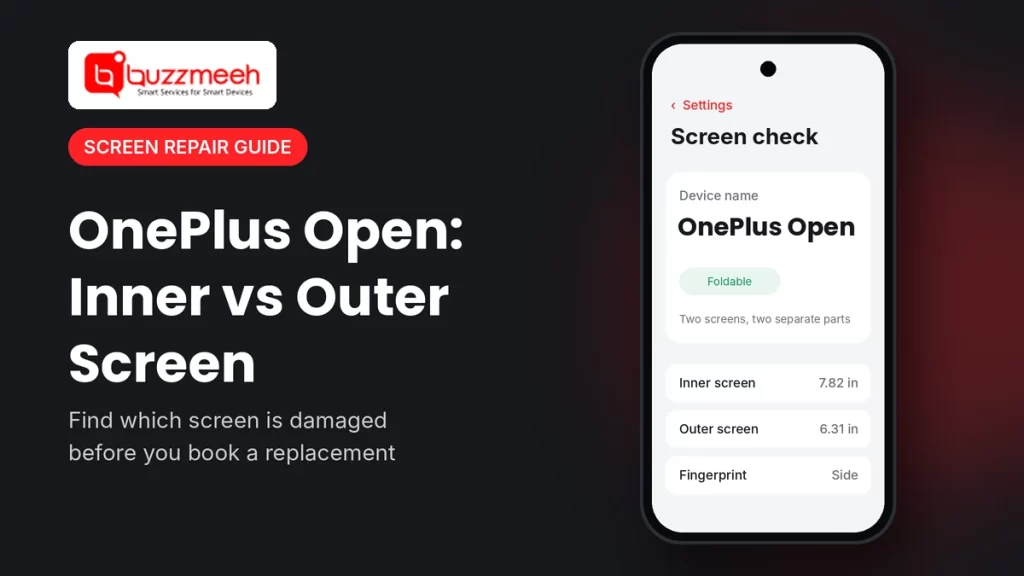
Quick answer: The OnePlus Open has a 7.82-inch inner folding screen and a 6.31-inch outer cover screen. Because they’re separate parts, a fault on one doesn’t mean you need to replace both. So first open and close the phone, and check which screen shows the crack, lines or black area. Then share that with your technician before you book.
OnePlus Open Inner vs Outer Screen: The Basics
Both screens are sharp 2K AMOLED panels. Still, they’re built very differently, as this table shows:
| Point | Inner screen | Outer screen |
|---|---|---|
| Size | It’s a 7.82-inch screen, so it opens like a small tablet. | It’s a 6.31-inch screen, so it works like a normal phone. |
| Panel | It uses a Flexi-fluid AMOLED that bends at the hinge. | It uses a Super Fluid AMOLED that stays flat. |
| Top layer | It has ultra thin glass, plus a factory screen protector. | It has Ceramic Guard glass, which feels like a regular phone. |
| Common damage | Lines, black patches or a fault along the fold usually show up here. | Cracks from drops usually show up here, because it faces outward. |
| Repair | It needs more time and care, since the panel folds. | It’s quicker to fit, because the panel doesn’t fold. |
How to Tell Which Screen Is Damaged
You can check in under a minute. Just follow these steps:
- Start with the phone closed. First, look at the outer screen. Check for cracks, lines or touch that doesn’t respond.
- Now open it fully. Then check the inner screen, especially along the fold in the middle.
- Test touch on both. For example, drag an app icon across the whole screen, from edge to edge.
- Watch the switch. Finally, open and close the phone a few times. If the picture flickers or goes black only when you fold it, tell your technician.
Once you know the OnePlus Open inner vs outer screen fault, write down what you see on each screen. Also, take a photo of both, since that helps us bring the right part.
Signs of Inner Screen Damage
- A line, often green, pink or white, appears along the fold or across the screen.
- Black spots or patches show up and then spread over time.
- Touch stops working in one area, especially near the hinge.
- The screen stays black when you open the phone, while the outer screen still works.
Also, a small bubble or peel at the edge of the factory screen protector is not the same as panel damage. So check the protector before you assume the worst.
Signs of Outer Screen Damage
- The glass has cracked, usually after a drop on a corner or edge.
- Ghost touches open apps by themselves, even when you don’t tap.
- Lines or flicker appear only on the cover screen, while the inner screen works fine.
- The outer screen stays black, but the phone still rings when closed.
Because the outer screen faces outward, it takes most drops. That’s why many owners only need the outer screen replaced.
What You Can Try Before Booking
Some issues come from software, not the panel. So try these quick checks first:
- Restart the phone. A simple restart often clears a frozen or black screen.
- Update the software. Next, go to Settings → About device and install any pending update.
- Remove the case. A tight case can sometimes press on the hinge, so take it off and test again.
- Clean the hinge area gently. Use a soft, dry brush, since dust near the fold can cause marks.
However, if the problem stays after these steps, the screen likely needs a replacement.
Tip from Akash, Mobile Repair Technician: “Don’t peel off the factory protector on the inner screen. It’s part of how the folding screen stays safe. Also, never press hard on the crease to test it. If you see a line or black area, send us a photo first, and we’ll tell you which screen needs the work.”
Book the Right Screen for Your OnePlus Open
Since each screen is a separate part, each one has its own page. So pick the one that matches your damage:
- Inner folding screen: see the OnePlus Open screen replacement cost for the inner display.
- Outer cover screen: see the OnePlus Open outer screen replacement cost.
- Other faults: we also fix the battery, speaker, charging port, cameras and software issues. So see our OnePlus Open repair page for those.
Other OnePlus Phones We Repair
Many OnePlus Open owners also use another OnePlus phone. So if you have one of these, here’s a quick look at its screen:
| Model | What to know | Model page |
|---|---|---|
| OnePlus 15 and 15R | Both have large flat screens, while the 15R also has a 6.83-inch 165Hz panel. | OnePlus 15 screen replacement cost · OnePlus 15R screen replacement cost: WhatsApp us |
| OnePlus 13 and 13R | Both have flat screens, but each one still uses its own part. | OnePlus 13 screen replacement cost · OnePlus 13R screen replacement cost |
| OnePlus 13s and 13T | Both have compact 6.32-inch flat screens, so the phones stay small. | OnePlus 13s screen replacement cost · OnePlus 13T screen replacement cost: WhatsApp us |
| OnePlus 12 and 12R | Both have curved screens, so they need extra care during the swap. | OnePlus 12 screen replacement cost · OnePlus 12R screen replacement cost |
| OnePlus 11 and 11R | Both have curved screens, so the edges need careful handling. | OnePlus 11 screen replacement cost: WhatsApp us · OnePlus 11R screen replacement cost |
| OnePlus 10R | It has a flat AMOLED screen, so it’s quick to fit. | OnePlus 10R screen replacement cost |
Have a OnePlus 15T, or a model without a link above? Then simply WhatsApp us your model, and we’ll confirm the part. Also, our guide on OnePlus curved vs flat screens covers every model. In fact, we repair every OnePlus model, from hardware faults to software issues. So for other phones, see all OnePlus mobile repair services.
What to Check Before a Screen Replacement
- First, back up your phone, just in case.
- Then tell the technician which screen is damaged, inner or outer, so they bring the right part.
- Ask which display type they’ll fit, and how it compares with your current screen.
- Also ask about the warranty, and get it in writing.
- Finally, test everything before you pay: touch on both screens, the fold, brightness and the front cameras.
Good news: the OnePlus Open has its fingerprint sensor on the side. So a screen replacement doesn’t affect fingerprint unlock.
How Buzzmeeh Helps
- The right part, first time, because we confirm the OnePlus Open inner vs outer screen fault before the visit.
- We repair at your home or office, so you don’t have to travel with a broken foldable.
- Clear quote first, payment last, so you pay by UPI, card or cash only after testing the phone.
- Your data stays on the phone, since a screen replacement doesn’t touch storage.
- More than screens, because we also fix batteries, speakers, charging ports, cameras and software on every OnePlus model.
- Digital warranty card, as per our warranty policy. We’ve also repaired phones since 2015, with a 4.1 rating from 506 Google reviews.
In Lucknow? We fix OnePlus phones there too. See OnePlus repair in Lucknow.
Inner or outer? Send us a photo
Share a photo of both screens and tell us your area. Then we’ll confirm the right part, the quote and a time slot.
OnePlus Open Inner vs Outer Screen: FAQs
Does the OnePlus Open have two screens?
Yes. It has a 7.82-inch inner folding screen and a 6.31-inch outer cover screen, and each one is a separate part.
If my outer screen breaks, do I need to replace the inner screen too?
No. Usually only the damaged screen needs a replacement, because the two screens work separately.
Which OnePlus Open screen breaks more often?
The outer screen takes most drops, since it faces outward. However, the inner screen can develop lines or black patches along the fold.
Can I remove the screen protector on the inner screen?
We don’t recommend it. The factory protector helps keep the folding screen safe, so leave it on unless a technician replaces it.
Will fingerprint unlock work after a screen replacement?
Yes. The OnePlus Open has a side-mounted fingerprint sensor, so a screen replacement doesn’t affect it.
Is the crease on the inner screen a fault?
A light crease is normal on folding phones. However, if a line, black spot or touch problem appears along it, get it checked.
Do you repair other OnePlus Open problems?
Yes. Besides screens, we fix the battery, speaker, charging port, cameras and software issues. We also repair every other OnePlus model.
Will I lose my data during a screen replacement?
No, because a screen replacement doesn’t touch your storage. Still, back up before any repair.
More Help
- OnePlus green line issue: causes and fixes
- How to find your exact phone model
- How to check battery health on any phone
Final Word: We Fix Every OnePlus Problem
A damaged OnePlus Open screen is just one of the jobs we do. In fact, we repair every OnePlus model, from the Nord series to the OnePlus 15 and the Open. So whether it’s a hardware fault or a software issue, we can help. For example, we replace batteries, fix speakers and charging ports, repair cameras, and solve software problems too. Just WhatsApp us your model and the problem, and we’ll take it from there. You can also see all our OnePlus mobile repair services.
Written by Akash, Mobile Repair Technician at Buzzmeeh
Akash has spent more than 10 years repairing smartphones, from screens and batteries to charging ports, on OnePlus, Samsung, iPhone, Xiaomi and other brands, including foldables.
Last updated: November 2026. Display details come from published OnePlus Open specifications.
Buzzmeeh is an independent repair service. We use the OnePlus name only to describe the phones we repair; it belongs to its owner.