iOS 27 Battery Drain: Why Your iPhone Dies Faster After the Update (and How to Fix It)
You updated your iPhone to iOS 27, and now the battery that lasted all day needs a charger by evening. The phone also feels warm in your hand. So did the update break your battery?
Usually, no. In most cases, iOS 27 battery drain comes from work the iPhone does in the background right after an update, and it settles down on its own. Sometimes, however, the update simply exposes a battery that was already worn out. Below, we explain how to tell the difference, and then share the fixes that actually help.
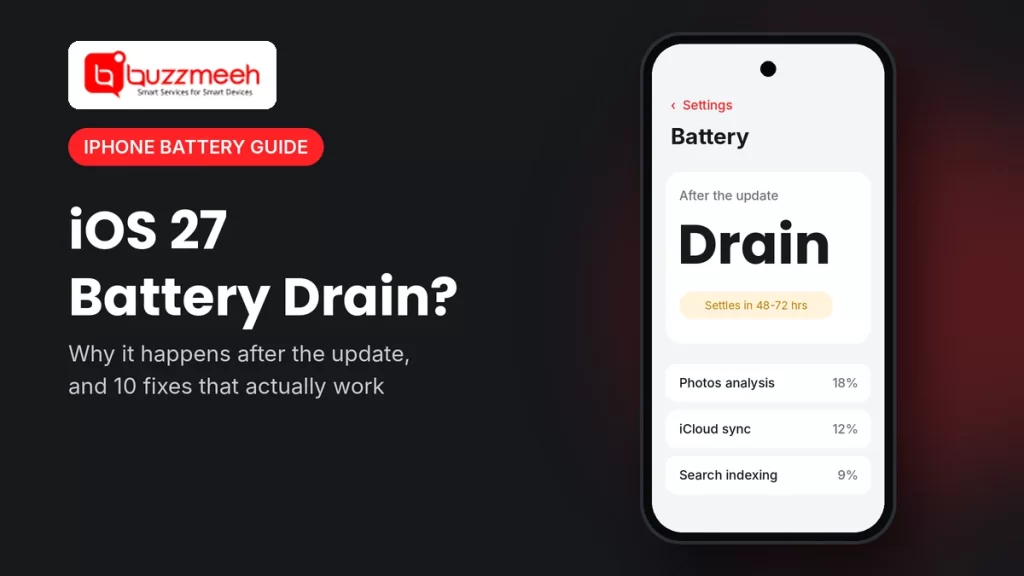
Quick answer: After an iOS 27 update, your iPhone re-indexes photos and files, syncs iCloud and sets up new features, so the battery drains faster for about 48–72 hours. Keep it charged, connect to Wi-Fi and wait. If the drain continues after three days, check Settings → Battery for apps using too much power. Also check Battery Health: if it’s below 80%, the battery itself is the problem, so a replacement will fix it, not another update.
Why iOS 27 Drains Your Battery After the Update
Apple released iOS 27 on 14 September 2026, and it runs on the iPhone 11 and newer. After any big update, your iPhone does a lot of extra work in the background. For example:
- Indexing. The iPhone rebuilds its search index, so Spotlight can find your files, messages and photos again.
- Photos analysis. It scans your photo library to sort people, places and memories.
- iCloud sync. It re-syncs your photos, backups and app data.
- New features setting up. On supported models, Apple Intelligence downloads and prepares its models.
- App updates. Many apps update at the same time, and some aren’t fully ready for iOS 27 yet.
- More screen time. Finally, people use their phones more while they try out new features, so the battery drops faster.
Also, the battery settings may show an “ongoing iOS update” note while this work is still running. That’s normal, so give it time.
How Long Does iOS 27 Battery Drain Last?
For most iPhones, the extra drain fades within 48 to 72 hours. It helps to leave the phone on charge overnight on Wi-Fi, because the iPhone does most of this background work while it’s charging and idle. However, if your battery is still draining fast after three days, something else is going on, so move on to the checks below.
10 Fixes for iOS 27 Battery Drain
- Wait 2–3 days first. Charge overnight on Wi-Fi, so the background work finishes sooner.
- Restart your iPhone. A simple restart clears stuck processes after the update.
- Check which apps use the most battery. Go to Settings → Battery and look at the list. If one app uses far more than the rest, update it, or delete and reinstall it.
- Update all your apps. Open the App Store and install pending updates, because older apps can misbehave on iOS 27.
- Install the latest iOS 27 point update. Go to Settings → General → Software Update. Apple often fixes battery bugs in these smaller updates.
- Turn off Background App Refresh for apps that don’t need it, under Settings → General → Background App Refresh.
- Limit location access. Under Settings → Privacy & Security → Location Services, set apps to “While Using” instead of “Always”.
- Reduce visual effects. Turn on Reduce Transparency under Settings → Accessibility → Display & Text Size, and Reduce Motion under Accessibility → Motion. As a result, the heavier visual effects use less power.
- Use Low Power Mode on busy days. You’ll find it under Settings → Battery.
- Protect the battery while charging. On iPhone 15 and newer, you can set an 80% charging limit under Settings → Battery → Charging. On older models, keep Optimized Battery Charging on.
Tip from Akash, Mobile Repair Technician: “After every big iOS update, we get calls saying the update killed the battery. Then we check the phone, and the battery health is 76% or 78%. The update didn’t damage the battery; it just made an old battery work harder, so the weakness finally showed. So always check Battery Health before you blame the software.”
Is It iOS 27 or Your Battery? How to Tell
| What you notice | Most likely cause | What to do |
|---|---|---|
| Drain only in the first 2–3 days after the update | Background work after the update | Wait, and charge overnight on Wi-Fi |
| One app uses far more battery than the rest | That app isn’t ready for iOS 27 yet | Update or reinstall the app |
| Phone gets warm only while charging after the update | Indexing and sync while on charge | Normal for a few days, so keep it in a cool place |
| Battery Health below 80% | A worn battery | Replace the battery |
| Phone shuts down at 20–30%, even weeks after the update | A worn battery that can’t deliver peak power | Replace the battery |
| “Service” shows in Battery Health | Apple recommends a new battery | Replace the battery |
How to Check Your iPhone Battery Health
- iPhone 11 to iPhone 14: go to Settings → Battery → Battery Health & Charging.
- iPhone 15 and newer: go to Settings → Battery → Battery Health. Here you’ll also see the cycle count.
Above 80% is normal. Below 80%, however, the battery holds noticeably less charge, and an update can make that more obvious. For a full guide, read how to check battery health on any phone.
Which iPhones Feel iOS 27 Battery Drain the Most?
Older iPhones usually feel it most, because their batteries have gone through more charge cycles. So if you own an iPhone 11, 12 or 13, check your battery health first. Then, if it’s low, a new battery often makes the phone feel close to new again, even on iOS 27.
- iPhone 11 battery replacement
- iPhone 12 battery replacement
- iPhone 13 battery replacement
- iPhone 13 Pro Max battery replacement
- Other models: see all iPhone battery replacement options
How Buzzmeeh Can Help
- Check first. The technician checks whether the drain comes from the battery or the software, so you don’t pay for a battery you don’t need.
- We replace it in front of you, at home or at the office, for most iPhone models.
- Pay after the repair, by UPI, card or cash, once you’ve tested the phone.
- Your data stays on the phone, because a battery replacement doesn’t touch storage.
- Digital warranty card, as per our warranty policy. We’ve also repaired phones since 2015, with a 4.1 rating from 506 Google reviews.
In Lucknow? We also fix iPhones in Lucknow. See iPhone repair in Lucknow.
Battery still draining after 3 days?
Send us your iPhone model and a screenshot of your Battery Health screen. Then we’ll tell you whether it’s the battery or the software, along with the price.
iOS 27 Battery Drain: FAQs
Why is my iPhone battery draining so fast after iOS 27?
Right after the update, the iPhone re-indexes files, analyses photos, syncs iCloud and sets up new features. This extra work uses more power, but it usually settles within 48–72 hours.
How long does battery drain last after an iOS update?
Usually two to three days. If it lasts longer, check Settings → Battery for an app using too much power, and then check your Battery Health.
Why is my iPhone getting hot after the iOS 27 update?
The background work after an update makes the processor busier, especially while charging. So some warmth for a few days is normal. However, if the phone stays hot for weeks, get it checked.
Will downgrading from iOS 27 fix battery drain?
Usually not. Apple normally stops allowing downgrades soon after a release, and the drain often settles on its own anyway. Instead, install the latest iOS 27 point update.
Does iOS 27 damage the iPhone battery?
No. An update doesn’t wear out the battery. However, it can make an already worn battery’s weakness more obvious, especially below 80% battery health.
Should I replace my battery after updating to iOS 27?
Only if the drain lasts beyond a few days and your Battery Health is below 80%, shows “Service”, or the phone shuts down early. Otherwise, wait and try the fixes first.
Which iPhones support iOS 27?
iOS 27 runs on the iPhone 11 and newer, including the iPhone SE (2nd and 3rd generation).
More iPhone Battery Help
- Early signs your iPhone needs a new battery
- Top hacks to get the most out of your iPhone battery
- How to check battery health on any phone
Written by Akash, Mobile Repair Technician at Buzzmeeh
Akash has spent more than 10 years repairing smartphones, from batteries and screens to charging ports, on iPhone, Samsung, OnePlus and other brands.
Last updated: November 2026. Settings menu names can change slightly with later iOS 27 updates.
Buzzmeeh is an independent repair service. iPhone and iOS are trademarks of Apple Inc. We use these names only to describe the phones we repair.