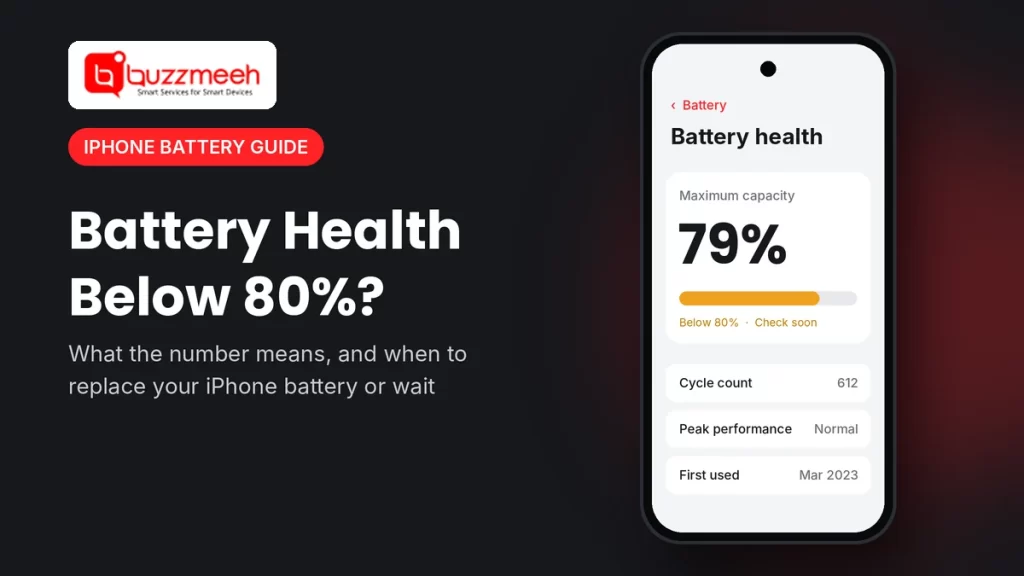
iPhone Battery Health Below 80%: Replace Now or Wait?
You open Settings, tap Battery, and there it is: 81%. Or 79%. Or maybe 85%, and you’re wondering how long it will last. So is it time for a new battery, or can you wait?
We answer this question almost every day. In short, the iPhone battery health 80% mark matters, but it isn’t a hard deadline. Below, we explain what each number means, how your iPhone model changes the answer, and also when you really shouldn’t wait.
Quick answer: At 80% or above, your iPhone battery is normal, so you don’t need to replace it. Below 80%, the battery holds noticeably less charge, and Apple designs its batteries to reach about that point after 500 cycles (iPhone 14 and older) or 1,000 cycles (iPhone 15 and newer). However, replace it sooner if the phone shuts down early, feels slow, or shows a “Service” message, whatever the percentage.
What Your iPhone Battery Health Percentage Means
Battery health, or Maximum Capacity, shows how much charge your battery holds now compared with when it was new. For example, at 85% a full charge gives you roughly 85% of the battery life you had on day one.
| Battery health | What it means | What to do |
|---|---|---|
| 100–90% | Healthy, so you’ll barely notice any change | Nothing yet; just keep good charging habits |
| 89–85% | Normal wear, so you may need a top-up by evening | Keep using it, and check again in a few months |
| 84–80% | Normal, but the battery is getting older | Start planning a replacement, especially if you use the phone heavily |
| 79–75% | Below Apple’s design target, so the battery drains faster | Replace soon, particularly if you notice slowdowns |
| Below 75% | Worn, so shutdowns and slowdowns become likely | Replace now |
Is iPhone Battery Health 80% Bad?
No, 80% isn’t bad. In fact, Apple designs iPhone batteries to keep about 80% of their capacity after a set number of full charge cycles:
- iPhone 14 and older (including iPhone 11, 12 and 13): about 500 full cycles
- iPhone 15 and newer (including iPhone 16 and 17): about 1,000 full cycles
So an iPhone 13 at 82% after three years is quite normal. On the other hand, an iPhone 15 at 79% after just one year suggests heavy use or a lot of heat, and therefore it’s worth a check.
What’s a cycle? One cycle means using 100% of the battery’s charge in total, not one plug-in. For example, using 60% today and 40% tomorrow adds up to one cycle.
Where to Check Your iPhone Battery Health
- iPhone 11 to iPhone 14: open Settings → Battery → Battery Health & Charging. You’ll see Maximum Capacity and Peak Performance Capability.
- iPhone 15 and newer: open Settings → Battery → Battery Health. Here you’ll also see the cycle count and whether Apple recommends a replacement.
Using another brand too? Then read our guide on how to check battery health on any phone.
The Messages That Matter More Than the Number
Sometimes the message under the percentage tells you more than the percentage itself. Here’s what each one means:
| Message you see | What it means | What to do |
|---|---|---|
| “Your battery is currently supporting normal peak performance” | All good, so the battery still delivers full power | Nothing |
| A note that your iPhone shut down unexpectedly and performance management is now on | The battery couldn’t deliver enough power, so iOS now limits speed to stop shutdowns | Plan a replacement soon, because the phone may feel slower |
| “Your battery’s health is significantly degraded” | The battery has aged a lot | Replace it |
| “Service” | Apple recommends a battery replacement | Replace it |
When You Can Wait (Even Below 80%)
An iPhone battery health 80% reading, or even a little lower, doesn’t always mean you must replace the battery today. For instance, you can usually wait a little if:
- the phone still lasts your normal day without a power bank
- it doesn’t shut down early or feel slow
- you see “normal peak performance” in Battery Health
- you plan to upgrade in the next couple of months anyway
When You Shouldn’t Wait
On the other hand, replace the battery soon, whatever the percentage, if:
- the iPhone switches off at 15–30% battery
- the percentage jumps around, for example from 40% to 10% in minutes
- apps open slowly, or the camera flash stops working at times
- the phone gets hot while charging or doing simple tasks
- the screen or back starts to lift, because that can mean a swollen battery
Tip from Akash, Mobile Repair Technician: “Don’t go only by the number. I’ve seen iPhones at 84% that switch off on a cold morning, and iPhones at 78% that still last the day. So look at how the phone behaves, not just the percentage. If it shuts down early, that’s your answer.”
How to Slow Down Battery Wear
- Turn on Optimized Battery Charging, or on newer iPhones, the 80% charging limit, under Settings → Battery.
- Avoid heat. For example, don’t charge under a pillow, and keep the phone out of a hot car.
- Don’t game heavily while charging, because that heats the battery from two sides.
- Use a good charger and cable made for iPhone.
- Finally, try not to hit 0% often. Charging between about 20% and 80% is gentler on the battery.
Find the Battery Replacement for Your iPhone
Not sure which iPhone you have? First go to Settings → General → About, or read how to find your phone model. Then pick your model below:
| Series | Your model |
|---|---|
| iPhone 11 and 12 | iPhone 11 battery replacement · iPhone 12 battery replacement |
| iPhone 13 | iPhone 13 battery replacement · iPhone 13 Pro Max battery replacement |
| iPhone 14 | iPhone 14 battery price · iPhone 14 Pro battery replacement |
| iPhone 15 | iPhone 15 battery price · iPhone 15 Plus battery price · iPhone 15 Pro Max battery replacement |
| iPhone 16 | iPhone 16 Pro battery replacement · iPhone 16 Pro Max battery replacement |
| iPhone 17 | iPhone 17 battery price · iPhone 17 Pro Max battery replacement |
| Other iPhones | See all iPhone battery replacement options |
Good to Know Before a Battery Replacement
- Your data stays on the phone, because a battery replacement doesn’t touch storage. Still, back up to iCloud first.
- The phone may feel faster afterwards, since iOS no longer needs to limit performance for a worn battery.
- After a replacement outside Apple, some iPhones show a message that iOS can’t verify the battery, and the health percentage may not appear. The phone works normally, so ask your repair service about this before you book.
How Buzzmeeh Can Help
- Check first, then price. The technician confirms the battery is the problem and tells you the price before starting.
- We replace it in front of you, at home or at the office, for most models.
- Pay after the repair, by UPI, card or cash, once you’ve tested the phone.
- Digital warranty card, as per our warranty policy. We’ve also repaired phones since 2015, with a 4.1 rating from 506 Google reviews.
In Lucknow? We also replace iPhone batteries in Lucknow. See iPhone repair in Lucknow.
Battery health below 80%? Get a quick check
Send us your iPhone model and a screenshot of your Battery Health screen. Then we’ll tell you if it needs replacing, along with the price.
iPhone Battery Health: FAQs
Should I replace my iPhone battery at 80%?
Not necessarily. At 80%, the battery is at the level Apple designs it to reach after 500 or 1,000 cycles. So replace it if the phone no longer lasts your day, shuts down early, or feels slow.
Is 85% battery health good?
Yes. 85% is normal wear for an iPhone that’s one to three years old, so you don’t need a replacement yet.
How long does an iPhone battery last from 80% to 70%?
It depends on how you use and charge the phone. For many people, it takes several months to a year, but heat and heavy use speed it up.
Why is my iPhone 15 battery health dropping so fast?
Heat, fast charging in a warm room, and heavy gaming are the usual reasons. Also, turn on the 80% charging limit or Optimized Battery Charging under Settings → Battery to slow it down.
Will a new battery make my iPhone faster?
Often, yes. When the battery wears out, iOS can limit performance to prevent shutdowns, so a new battery can bring back normal speed.
What does “Service” mean in iPhone Battery Health?
It means Apple recommends replacing the battery, because it no longer performs as it should.
Will I lose data during an iPhone battery replacement?
No, because a battery replacement doesn’t touch your storage. Still, it’s a good habit to back up before any repair.
More Battery Help
- Early signs your iPhone needs a new battery
- How to extend your iPhone battery life
- How to check battery health on any phone
Written by Akash, Mobile Repair Technician at Buzzmeeh
Akash has spent more than 10 years repairing smartphones, from batteries and screens to charging ports, on iPhone, Samsung, OnePlus and other brands.
Last updated: November 2026. Cycle figures come from Apple’s iPhone battery and performance guidance.
Buzzmeeh is an independent repair service. iPhone is a trademark of Apple Inc. We use brand and model names only to describe the phones we repair.