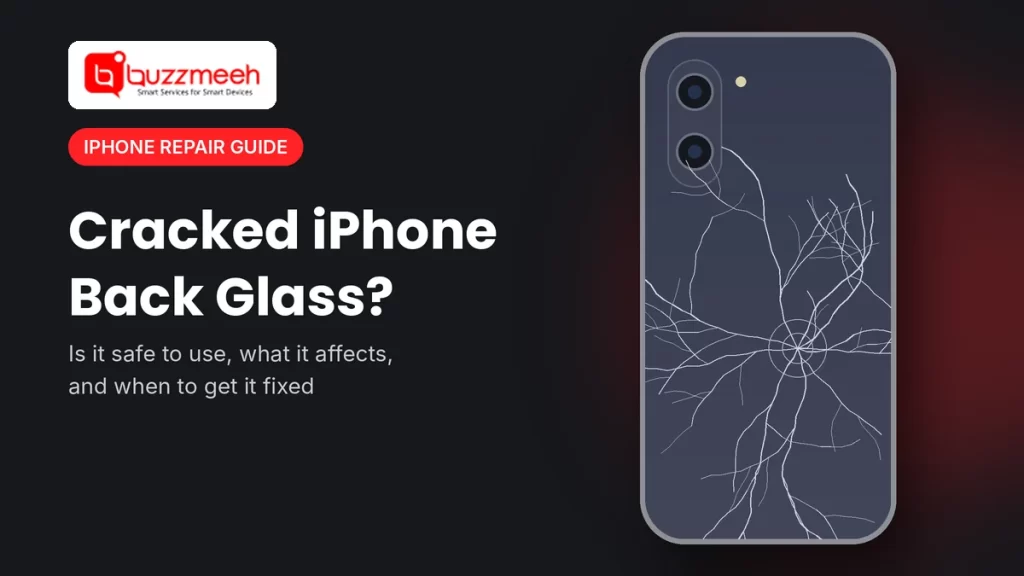
Cracked iPhone Back Glass: Is It Safe to Use, and Should You Fix It?
The front screen survived the fall. The back, however, didn’t. Now a spider web of cracks runs across the glass on the back of your iPhone, but the phone still works perfectly. So does it even need a repair?
It’s one of the most common questions we get. In short, a cracked iPhone back glass usually won’t stop the phone from working today, but you shouldn’t live with it for months. Below, we explain what a cracked back can affect, when it becomes urgent, and also why newer iPhones make this repair much simpler than before.
Quick answer: A cracked iPhone back glass doesn’t usually affect calls, apps or the screen. However, it’s not fully safe to keep using. Sharp edges can cut your fingers, the phone loses its water resistance, and the cracks tend to spread. In fact, Apple’s own safety guidance says not to use an iPhone with cracked glass. So cover it with clear tape for now, and then book a back glass replacement.
Is It Safe to Use an iPhone With Cracked Back Glass?
For a few days, it’s usually fine. For weeks or months, however, it isn’t a good idea. Apple’s safety information for iPhone says plainly: don’t use an iPhone with cracked glass, because it may cause injury. Also, that advice applies to the back just as much as the front.
Here’s what a cracked back can affect:
| What’s affected | What can happen | How serious |
|---|---|---|
| Your hands | Tiny glass splinters and sharp edges can cut your fingers or palm | High, especially with deep cracks |
| Water and dust protection | The broken seal lets rain, sweat and dust get inside | High, because water damage costs far more than glass |
| The cracks themselves | Pressure in a pocket and small knocks make cracks spread | Medium, since it gets worse over time |
| Wireless and MagSafe charging | Usually still works, but chargers and mounts may sit unevenly on broken glass | Low to medium |
| Camera | The lens covers are separate, but cracks near them can let dust in or chip a lens | Medium when cracks reach the camera area |
| Resale value | A cracked back also lowers what you’ll get for the phone | Medium |
When You Should Fix It Right Away
- Glass is chipping off, or you can feel sharp edges
- Cracks reach the camera bump, or photos look hazy or show spots
- The phone got wet after the back cracked
- The back looks raised or bulging. This can mean a swollen battery, so stop charging and let a technician check it
- Wireless charging stops working, or the phone gets hot on the charger
- You often use the phone near water, for example in the kitchen, the bathroom or the rainy season
What to Do Before the Repair
- First, put clear tape over the cracks. It keeps splinters in place and also protects your fingers.
- Then use a case with a raised back edge, so the broken glass doesn’t touch surfaces.
- Keep it away from water. For example, don’t take it into the bathroom or out in the rain.
- Back up your phone to iCloud or a computer, just in case.
- Finally, don’t press or pick at the glass, and don’t try to peel it off yourself.
Tip from Akash, Mobile Repair Technician: “Most people wait months to fix a cracked back because the phone still works. Then the monsoon comes, water gets in through the cracks, and a simple back glass job turns into a water damage repair. So if your back has cracked, fix it before the phone gets wet, not after.”
Back Glass Repair on Newer iPhones Is Much Simpler
Many iPhone owners don’t know this. On older iPhones, Apple bonded the back glass to the metal frame, so replacing it was a long and delicate job. However, Apple changed the design starting with the iPhone 14:
| iPhone | Back glass design | What it means for repair |
|---|---|---|
| iPhone 14 and 14 Plus | A technician can remove the back glass on its own | So the repair is simpler and quicker |
| iPhone 14 Pro and 14 Pro Max | Older bonded design | Therefore the repair takes more time and care |
| iPhone 15, 15 Plus, 15 Pro and 15 Pro Max | A technician can remove the back glass on its own | So the repair is simpler and quicker |
| iPhone 16, 16 Plus, 16 Pro and 16 Pro Max | A technician can remove the back glass on its own | So the repair is simpler and quicker |
As a result, if you have an iPhone 14, 15 or 16, a cracked back is usually one of the more straightforward iPhone repairs.
Find Your iPhone Model’s Back Glass Repair
Find your model below. Not sure which iPhone you have? Then go to Settings → General → About, or read our guide on how to find your phone model.
Questions to Ask Before a Back Glass Repair
- Will you also check the camera lens covers? If cracks reach the camera area, the lens covers may need attention too.
- What does the new glass look like? Ask about the colour match and finish, especially on frosted Pro models.
- Will wireless and MagSafe charging work after the repair? They should, so ask the technician to test it in front of you.
- How long will it take, and can you watch the repair?
- Finally, what’s the warranty on the new glass?
Is It Only the Back? Check These Too
A drop that cracks the back can also affect other parts. So after a fall, check that the camera, Face ID and charging all work. If the front screen has lines or touch issues, see iPhone screen replacement. Similarly, if the battery drains faster after the fall, see iPhone battery replacement.
How Buzzmeeh Handles a Cracked iPhone Back
- We come to you, at home or at the office, for most models.
- Check first, then price. The technician checks the back, camera and charging, and then confirms the price before starting.
- Wireless charging test: after fitting the new glass, we test charging in front of you.
- Pay after the repair, by UPI, card or cash, once you’ve checked the phone.
- Your data stays on your phone, because a back glass repair doesn’t touch storage.
- Digital warranty card, as per our warranty policy. We’ve also repaired phones since 2015, with a 4.1 rating from 506 Google reviews.
In Lucknow? We also repair iPhones in Lucknow. See iPhone repair in Lucknow.
Cracked back? Fix it before water gets in
Send us your iPhone model and a photo of the back. Then we’ll confirm the price and a time slot.
Cracked iPhone Back Glass: FAQs
Can I keep using my iPhone with a cracked back?
For a short time, yes, but it’s not a good idea long term. Sharp edges can cut you, the phone loses its water resistance, and the cracks usually spread. So put clear tape over it and book a replacement soon.
Does a cracked back glass affect wireless charging?
Usually it still works. However, a charger or MagSafe accessory may not sit flat on broken glass, and deep cracks near the charging area can cause problems. If charging stops or the phone gets hot, ask a technician to check it.
Is my iPhone still water resistant with a cracked back?
No. When the back glass cracks, it breaks the seal, so water or dust can get inside. Therefore, keep the phone away from water until the repair.
Will a case fix a cracked back?
A case protects your hands and stops the cracks from catching on things. Still, it doesn’t restore water resistance or stop cracks from spreading.
Is the camera glass part of the back glass?
No, the camera lens covers are separate. However, if the back cracked near the camera, the damage can also reach the lens covers or the camera itself, so check your photos for haze or spots.
Which iPhones are easier to fix when the back glass breaks?
On the iPhone 14 and 14 Plus, and on all iPhone 15 and iPhone 16 models, a technician can remove the back glass on its own. As a result, the repair is simpler than on the iPhone 14 Pro, 14 Pro Max and older models.
Will I lose my data during a back glass repair?
No, because replacing the back glass doesn’t touch your storage. Still, it’s a good idea to back up before any repair.
More iPhone Help
- How to find your exact phone model
- How to check battery health on any phone
- iPhone screen cracked? 5 things you must know
Written by Akash, Mobile Repair Technician at Buzzmeeh
Akash has spent more than 10 years repairing smartphones, from screens and back glass to batteries and charging ports, on iPhone, Samsung, OnePlus and other brands.
Last updated: November 2026.
Buzzmeeh is an independent repair service. iPhone is a trademark of Apple Inc. We use brand and model names only to describe the phones we repair.