Redmi Note Pro vs Pro+ Screen: Which One Does Your Phone Need?
“It’s a Redmi Note 13 Pro.” Then the technician arrives, and the phone turns out to be a Redmi Note 13 Pro+. The screens look alike, but one is flat and the other is curved, so the part doesn’t fit. As a result, the customer waits for a second visit.
This Redmi Note Pro vs Pro+ screen mix-up is one of the most common things we see with Xiaomi phones. So in this guide, we explain how Redmi Note and Xiaomi screens differ from model to model, how to tell which one you have, and what to check before a screen replacement.
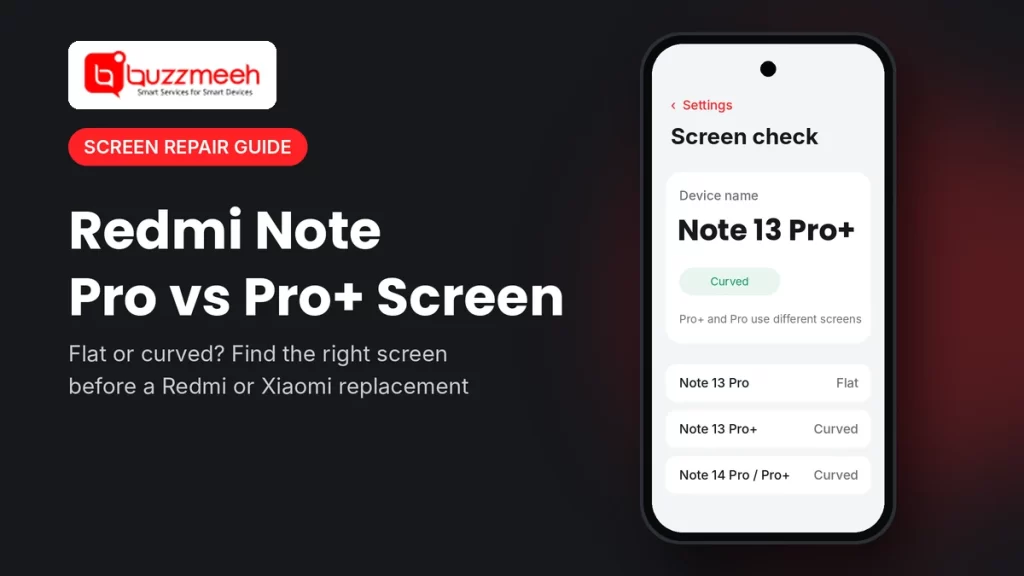
Quick answer: A Redmi Note Pro and Pro+ from the same year often use different screens, so one won’t always fit the other. For example, the Redmi Note 13 Pro has a flat screen, while the 13 Pro+ has a curved one. Therefore, check your exact model under Settings → About phone before you book a screen replacement, and tell the technician the full name, including “Pro”, “Pro+” or “5G”.
Redmi Note Pro vs Pro+ Screen: Why the Exact Model Matters
- Flat or curved. Some years, the Pro has a flat screen and the Pro+ a curved one. For instance, that’s the case with the Redmi Note 13 series.
- Same size, different part. Many Redmi Note Pro models share a 6.67-inch display. Even so, the frame, edges and connectors can differ, so the part may not fit another model.
- Different glass. Newer models also use tougher cover glass. For example, the Redmi Note 14 Pro and 14 Pro+ use Gorilla Glass Victus 2, while the 13 series uses Gorilla Glass Victus.
- One visit instead of two. When you share the exact model, the technician brings the right screen the first time.
Screen Differences by Model
| Model | Screen shape | What to know |
|---|---|---|
| Redmi Note 12 Pro 5G and 12 Pro+ 5G | Flat | Both have flat AMOLED screens, but still confirm the exact model, because the parts aren’t always the same |
| Redmi Note 13 Pro 5G | Flat | Flat AMOLED, so it’s a different part from the 13 Pro+ |
| Redmi Note 13 Pro+ 5G | Curved | Curved AMOLED, which needs more care during replacement |
| Redmi Note 14 Pro 5G and 14 Pro+ 5G | Curved | Both curved, with tougher Victus 2 glass |
| Redmi Note 15 Pro 5G, 15 Pro+ 5G and Note 17 Pro Max 5G | Check with us | Newer models, so share your model on WhatsApp and we’ll confirm the part |
| Xiaomi 14 Ultra, 15 Ultra and 17 Ultra | High-end display | Larger premium screens, so we may need to order the part (24–72 hours) |
How to Find Your Exact Redmi or Xiaomi Model
- First, open Settings → About phone.
- Then note the device name, for example “Redmi Note 14 Pro+ 5G”.
- For more detail, tap Detailed info and specs if your phone shows it.
Is the screen too broken to read? Then check the box, your bill, or the devices list in your Google account. You can also read our guide on how to find your phone model.
What Makes a Curved Screen Different
Curved screens look great, but they take more care to replace. First, the glass wraps around the edges, so the technician removes it slowly to avoid damage to the frame. Also, curved screens crack more easily at the sides when the phone falls on its edge. Because of this, a case with raised edges helps a lot on curved Redmi Note models.
Do You Need a Full Screen Replacement?
Not every crack means a new display. However, you usually need a full screen replacement when you see:
- lines on the display, for example a green, pink or white line
- black spots or patches that spread
- touch that doesn’t work in one area, or ghost touches
- a screen that stays black while the phone still rings or vibrates
On the other hand, if only your screen guard has cracked and the display below works fine, a new screen guard is enough.
Tip from Akash, Mobile Repair Technician: “Before you book, send us a photo of the About phone screen. With Redmi Notes, the difference between Pro and Pro+ decides which screen we bring. That one photo saves you a second visit.”
Find Your Model’s Screen Replacement
Pick your phone below. Since each model has its own page, you’ll see the details that apply to your exact phone:
- Redmi Note 12 series: Redmi Note 12 Pro 5G screen replacement cost · Redmi Note 12 Pro+ 5G screen replacement cost
- Redmi Note 13 series: Redmi Note 13 Pro 5G screen replacement cost · Redmi Note 13 Pro+ 5G screen replacement cost
- Redmi Note 14 series: Redmi Note 14 Pro+ 5G screen replacement cost. For the Redmi Note 14 Pro 5G screen replacement cost, WhatsApp us your model.
- Redmi Note 15 and 17 series: for the Redmi Note 15 Pro 5G screen replacement cost, Redmi Note 15 Pro+ 5G screen replacement cost or Redmi Note 17 Pro Max 5G screen replacement cost, WhatsApp us your model.
- Xiaomi Ultra: Xiaomi 14 Ultra screen replacement cost. For the Xiaomi 15 Ultra screen replacement cost or Xiaomi 17 Ultra screen replacement cost, WhatsApp us your model.
For other Redmi, Xiaomi and POCO phones, see our Xiaomi mobile repair page.
What to Check Before a Screen Replacement
- Back up your phone, just in case.
- Ask which display type they’ll fit, and how it compares with your current screen.
- Ask if fingerprint unlock will work after the repair, since Redmi Note Pro models have the sensor under the screen.
- Ask about the warranty, and get it in writing.
- Finally, test everything before you pay: touch, brightness, fingerprint and the front camera.
How Buzzmeeh Helps
- The right screen, first time, because we confirm your exact model before the visit.
- We repair at your home or office, and most screen replacements take under an hour when the part is in stock.
- Price first, payment last, so you pay by UPI, card or cash only after testing the phone.
- Your data stays on the phone, since a screen replacement doesn’t touch storage.
- Digital warranty card, as per our warranty policy. We’ve also repaired phones since 2015, with a 4.1 rating from 506 Google reviews.
Not sure if it’s Pro or Pro+? Ask us
Send us a photo of your About phone screen and the damage. Then we’ll confirm the right screen, the price and a time slot.
Redmi Note Pro vs Pro+ Screen: FAQs
Is the Redmi Note 13 Pro screen the same as the 13 Pro+?
No. The Redmi Note 13 Pro has a flat screen, while the 13 Pro+ has a curved one, so the parts aren’t interchangeable.
Do the Redmi Note 14 Pro and 14 Pro+ have the same screen?
Both have 6.67-inch curved AMOLED screens. Still, the phones are different models, so always confirm your exact model before a replacement.
Are curved screens harder to replace?
Yes, a little. Because the glass wraps around the edges, the technician needs more time and care to remove and fit it.
How do I know if I have a Pro or Pro+?
Go to Settings → About phone and check the device name. Also, the box and your bill show the full model name.
Will fingerprint unlock work after a screen replacement?
It should, as long as the new display supports the in-display sensor. So ask the technician to test it before you pay.
Can you replace the screen on the Xiaomi 15 Ultra or 17 Ultra?
Yes. However, Ultra models use high-end displays, so we confirm part availability on WhatsApp first.
Will I lose my data during a screen replacement?
No, because a screen replacement doesn’t touch your storage. Still, back up before any repair.
More Help
- How to find your exact phone model
- How to check battery health on any phone
- Phone repair or new phone? How to decide
Written by Akash, Mobile Repair Technician at Buzzmeeh
Akash has spent more than 10 years repairing smartphones, from screens and batteries to charging ports, on Xiaomi, Samsung, iPhone, OnePlus and other brands.
Last updated: November 2026. Display details come from published phone specifications.
Buzzmeeh is an independent repair service. We use the Xiaomi, Redmi and POCO names only to describe the phones we repair; they belong to their owner.