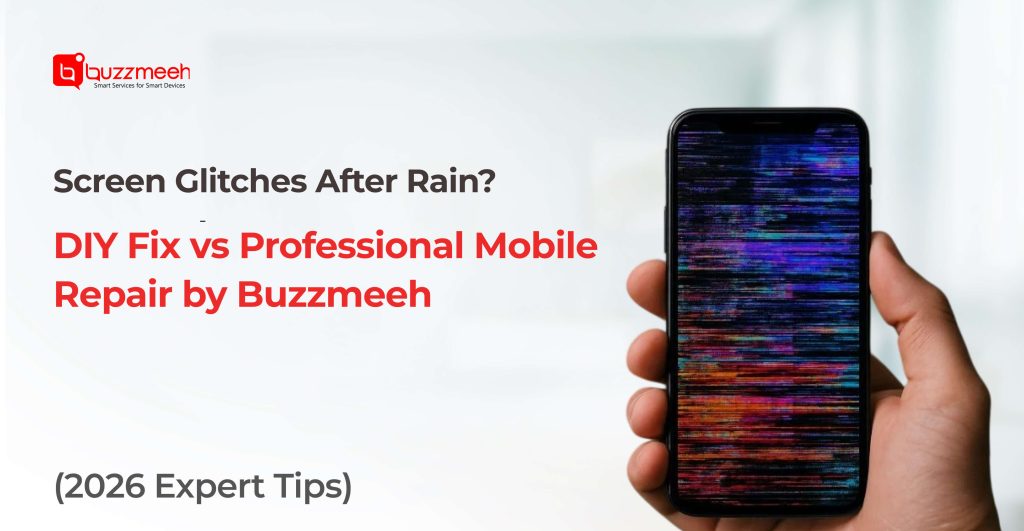
Screen Glitches After Rain? DIY Fix vs Professional Mobile Repair by Buzzmeeh
Monsoon season brings relief from the summer heat, but it can also create unexpected problems for smartphone users. One of the most common issues people face during rainy weather is screen malfunction. If your smartphone starts flickering, showing ghost touches, displaying strange lines, or becoming unresponsive after exposure to moisture, it is time to take action. Choosing a Reliable Doorstep Mobile Repair service can help prevent further damage and restore your device quickly without the hassle of visiting a repair center.
At Buzzmeeh, we understand how important your smartphone is for work, communication, entertainment, and daily tasks. This article explains why screen glitches occur after rain, what DIY solutions you can safely try, and when professional assistance becomes the smarter option.
Why Do Mobile Screens Start Glitching After Rain?
Modern smartphones are designed with varying levels of water resistance, but they are not completely immune to moisture damage. Rainwater can seep through charging ports, speaker grills, SIM trays, or tiny gaps in the device.
Common symptoms include:
- Screen flickering
- Random touch responses
- Black spots on display
- Vertical or horizontal lines
- Delayed touch sensitivity
- Display discoloration
- Screen turning black intermittently
Even a small amount of moisture can affect the display connector, touch digitizer, motherboard, or battery, resulting in these issues.
Understanding the Hidden Risks of Moisture Damage
Many users assume that if their phone turns on after getting wet, everything is fine. Unfortunately, moisture damage often develops gradually.
Water exposure may cause:
Corrosion on Internal Components
Tiny water droplets can trigger corrosion on circuit boards and connectors. This corrosion spreads over time and can permanently damage the device.
Display Connector Failure
The display cable connecting the screen to the motherboard is highly sensitive. Moisture can disrupt communication between these components, causing flickering and touch issues.
Battery-Related Problems
Water can affect battery performance, leading to overheating, charging problems, and unexpected shutdowns.
Motherboard Damage
The motherboard controls every major smartphone function. Water damage to this component can result in costly repairs if left untreated.
DIY Solutions for Screen Glitches After Rain
If your phone has recently been exposed to rain and shows display issues, there are a few safe steps you can try before seeking professional help.
1. Power Off the Device Immediately
Keeping a wet phone powered on increases the risk of short circuits. Turn off the device as soon as possible.
2. Remove Accessories
Take off the phone case, remove the SIM card tray, and disconnect any external accessories.
3. Dry the Exterior
Use a soft microfiber cloth to wipe away visible moisture.
4. Store the Device in a Dry Area
Place the smartphone in a well-ventilated area with low humidity.
5. Avoid Charging
Never charge a phone that may contain internal moisture. This can worsen the damage.
DIY Mistakes That Can Make Things Worse
While many online solutions claim to fix water-damaged phones, some methods can cause additional harm.
Using a Hair Dryer
Excessive heat can damage display layers, battery components, and adhesives.
Putting the Phone in Rice
Rice absorbs surface moisture but does little for internal water damage. Rice particles may also enter charging ports.
Pressing the Screen Repeatedly
Trying to “fix” touch issues by tapping or pressing the display can worsen digitizer damage.
Opening the Device Yourself
Modern smartphones contain delicate components that require professional tools and expertise.
When Professional Repair Becomes Necessary
DIY methods can help with minor moisture exposure, but professional diagnostics are often required when:
- Screen flickering continues
- Ghost touch persists
- Display remains unresponsive
- Device overheats
- Charging issues develop
- Screen shows permanent lines
- Phone restarts unexpectedly
Professional technicians can identify the root cause before the damage spreads.
Why Choose Buzzmeeh for Mobile Screen Issues?
Buzzmeeh specializes in fast, convenient, and reliable smartphone repair services across major Indian cities.
Certified Technicians
Our experts are trained to diagnose water-related display issues across multiple smartphone brands.
Advanced Diagnostic Tools
We use professional equipment to detect hidden moisture and internal component damage.
Genuine Spare Parts
Where replacement is required, Buzzmeeh uses high-quality compatible parts for lasting performance.
Transparent Pricing
Customers receive clear repair estimates before any work begins.
Fast Turnaround Time
Most common repairs can be completed quickly, minimizing downtime.
Onsite Mobile Repair in Gurgaon: Convenience Without Compromise
Busy schedules make it difficult for many users to visit repair shops. This is where Onsite Mobile Repair in Gurgaon becomes a game-changing solution.
With Buzzmeeh’s onsite service, trained technicians arrive at your location equipped with professional tools and replacement parts.
Benefits include:
- No travel required
- Faster repair process
- Transparent service
- Safe handling of devices
- Time-saving convenience
Whether you are at home, office, or another location in Gurgaon, Buzzmeeh brings professional repair services directly to you.
Doorstep Google Pixel Repair: Expert Solutions at Your Location
Google Pixel smartphones are known for their premium displays and advanced features. However, moisture exposure can still affect these devices.
Common Pixel Problems After Rain
- Display flickering
- Touchscreen lag
- Charging issues
- Display discoloration
- Internal moisture alerts
Buzzmeeh offers specialized Doorstep Google Pixel Repair services that help users avoid long service center visits. Our technicians perform detailed diagnostics and provide reliable solutions directly at your preferred location.
Whether you own a Pixel 7, Pixel 8, or the latest Pixel series device, Buzzmeeh ensures convenient repair support.
Vivo Service Centre Alternative: Faster and More Convenient Repairs
Many Vivo users experience delays due to appointment scheduling and travel requirements. While visiting a Vivo Service Centre remains an option, many customers prefer the convenience of professional doorstep repairs.
Buzzmeeh supports a wide range of Vivo devices and resolves issues including:
- Display replacement
- Touchscreen malfunction
- Water damage repair
- Charging port issues
- Battery replacement
Our doorstep approach helps users receive professional assistance without disrupting their daily routine.
OnePlus Service Centre Alternative for Quick Screen Repairs
OnePlus smartphones feature high-refresh-rate displays that can be sensitive to moisture exposure.
Common post-rain issues include:
- Green line display problems
- Touch response delays
- Screen flickering
- Display connector faults
Instead of waiting for appointments at a OnePlus Service Centre, Buzzmeeh offers faster diagnostics and repair support at your location.
Our technicians understand OnePlus hardware architecture and provide effective repair solutions that help restore device performance quickly.
How Buzzmeeh Protects Your Device During Repairs
Every repair follows a structured process:
Device Inspection
Comprehensive assessment of moisture-related damage.
Component Testing
Testing display, battery, charging port, and motherboard.
Repair Recommendation
Clear explanation of required repairs.
Professional Repair Execution
Safe repair procedures using specialized tools.
Quality Testing
Post-repair testing ensures everything functions properly.
This process minimizes future issues and improves device reliability.
Why Indian Smartphone Users Prefer Doorstep Repair Services
The growing popularity of doorstep repair services reflects changing customer expectations.
Users increasingly value:
- Convenience
- Time savings
- Professional expertise
- Transparent pricing
- Safe repairs
- Quick service
Buzzmeeh continues to meet these expectations by delivering trusted repair solutions directly to customers.
Protecting Your Phone During the Monsoon Season
The monsoon season brings cooler weather and refreshing rains, but it also increases the risk of smartphone damage. Even a few drops of water can affect your device’s display, charging port, speakers, or internal components. Taking preventive measures can help you avoid costly repairs and keep your smartphone functioning smoothly throughout the rainy season.
Use Water-Resistant Cases for Added Protection
A quality water-resistant case acts as the first line of defense against accidental splashes and rain exposure. While many modern smartphones offer some level of water resistance, this protection can weaken over time due to wear and tear, accidental drops, or previous repairs.
A durable water-resistant case helps by:
- Preventing rainwater from reaching vulnerable areas.
- Providing additional shock protection during slippery conditions.
- Reducing the chances of moisture entering charging ports and buttons.
- Offering peace of mind when traveling during heavy rainfall.
For users who frequently commute, ride two-wheelers, or work outdoors, investing in a premium protective case can significantly reduce the risk of rain-related damage.
Avoid Using Your Phone in Heavy Rain
Many users continue making calls, browsing social media, or using navigation apps while walking in the rain. This habit can expose the device to direct water contact, especially around speaker grills, charging ports, and SIM card slots.
To minimize risk:
- Wait until you reach a covered area before using your phone.
- Use wireless earbuds for urgent calls when necessary.
- Avoid exposing the screen to continuous rain droplets.
- Keep your device inside a secure pocket or bag during downpours.
Even smartphones with IP-rated water resistance are not designed for prolonged exposure to rainwater, especially when pressure from falling water forces moisture into small openings.
Keep Charging Ports Dry at All Times
The charging port is one of the most vulnerable parts of any smartphone during the monsoon season. Water trapped inside the port can interfere with charging, trigger moisture detection warnings, or cause corrosion over time.
To protect your charging port:
- Check for moisture before connecting the charger.
- Wipe the port area gently with a dry microfiber cloth.
- Allow the device to air dry naturally if exposed to rain.
- Avoid inserting charging cables when the phone is damp.
- Use protective charging port covers if available.
Ignoring moisture inside the charging port can eventually lead to charging failures, connector damage, or motherboard issues that require professional repair.
Store Your Phone Securely During Travel
Rainwater often reaches smartphones while commuting rather than during direct usage. Keeping your phone in an unprotected pocket, backpack, or handbag can expose it to unexpected leaks and moisture.
For better protection:
- Carry your phone in a waterproof pouch or zip-lock cover.
- Use bags with water-resistant compartments.
- Avoid placing phones near wet clothing, umbrellas, or water bottles.
- Keep the device elevated inside your bag to reduce accidental exposure.
People traveling through crowded areas, public transport, or on motorcycles should pay extra attention to phone storage during heavy rainfall.
Act Quickly After Accidental Water Exposure
If your smartphone gets wet, your immediate response can determine whether the device survives without major damage.
Follow these steps immediately:
- Turn off the device as soon as possible.
- Remove any protective case and SIM tray.
- Dry the exterior with a soft microfiber cloth.
- Place the phone in a cool, dry, and well-ventilated area.
- Avoid charging or restarting the device immediately.
- Seek professional inspection if display issues, charging problems, or speaker malfunctions occur.
Many moisture-related issues develop gradually over several days. Early diagnosis can prevent corrosion from spreading to critical components.
Be Extra Careful with Foldable and Premium Smartphones
Premium smartphones, including flagship Samsung, Google Pixel, iPhone, and OnePlus devices, often contain advanced display technologies and delicate internal components. While many offer water resistance, repairs for these devices can be expensive if moisture damage occurs.
Extra precautions are recommended for:
- Foldable smartphones
- Devices with curved displays
- Phones with multiple camera modules
- High-end flagship models
Using proper protection during the monsoon can help avoid costly screen replacements and motherboard repairs.
Schedule a Professional Checkup After Significant Water Exposure
Even if your phone appears to function normally after getting wet, hidden moisture may remain inside. Professional technicians can inspect internal components, clean affected areas, and identify early signs of corrosion before serious problems develop.
Services like Buzzmeeh’s doorstep mobile repair allow users to get expert diagnostics without visiting a repair center, making it easier to protect their devices during the rainy season.
Keep Your Smartphone Safe This Monsoon
A little prevention can save you from expensive repairs and unexpected downtime. By using protective accessories, avoiding direct rain exposure, keeping charging ports dry, and acting quickly after accidental water contact, you can significantly extend the life of your smartphone during the monsoon season. Staying proactive today can help you avoid major display, battery, and motherboard issues tomorrow.
Conclusion
Screen glitches after rain may seem like minor inconveniences initially, but they often indicate deeper moisture-related issues. While basic DIY measures can help in some situations, persistent display problems require professional attention to prevent expensive repairs later.
Buzzmeeh combines technical expertise, convenience, and customer-focused service to deliver dependable smartphone repair solutions across India. Whether you need Doorstep Mobile Repair, expert diagnostics, or Onsite Mobile Repair in Gurgaon, our skilled technicians are ready to help restore your device quickly and efficiently.
Frequently Asked Questions
Q: Can rainwater permanently damage a smartphone screen?
Yes. Moisture can damage the display, touch digitizer, connectors, and motherboard if not addressed promptly.
Q: Should I charge my phone after it gets wet?
No. Charging a wet phone can cause short circuits and worsen internal damage.
Q: Is putting a phone in rice effective?
Rice may absorb some surface moisture but is generally not effective for internal water damage.
Q: How do I know if moisture has affected the display?
Signs include flickering, touch issues, black spots, screen lines, and display discoloration.
Q: Does Buzzmeeh offer doorstep repair services?
Yes. Buzzmeeh provides doorstep and onsite repair solutions for various smartphone brands across multiple locations.
Q: Can Buzzmeeh repair Google Pixel, Vivo, and OnePlus smartphones?
Yes. Buzzmeeh offers professional repair services for Google Pixel, Vivo, OnePlus, and many other smartphone brands.
Contact Buzzmeeh Today
Don’t let rain-related screen problems disrupt your day. Get fast diagnostics, reliable repairs, and expert support with Buzzmeeh’s doorstep repair solutions.
✓ Professional Technicians
✓ Doorstep Convenience
✓ Transparent Pricing
✓ Fast Service
✓ Multi-Brand Expertise
Buzzmeeh – Bringing Professional Mobile Repair Directly to Your Doorstep.