














WhatsApp
Call
Same-Day Service

Repair Your Phone
Get It Fixed Instantly

Quick diagnosis, expert repair, get your device working the same day


Upgrade Smart Repair Your Phone Today

We provide expert doorstep phone repair with fast service, quality parts, and secure support.

Apple
Asus
Lenovo
OnePlus
Google Pixel
Samsung
Samsung
Samsung
Samsung
Samsung
Samsung
Samsung
Samsung
Samsung
Samsung
Samsung
Samsung
Samsung

Repair Your Phone Online with Buzzmeeh

Looking for reliable mobile repair service at your doorstep? Buzzmeeh makes phone repair fast, safe, and hassle-free. Whether your device has a broken screen, battery issue, camera fault, or any hardware/software problem - we fix it quickly with expert technicians.

From iPhone, Samsung, Vivo, Oppo, Xiaomi, OnePlus to all major brands - Buzzmeeh repairs them all!

Why Repair Your Phone with Buzzmeeh?

Expert Technicians

Our trained professionals handle all types of mobile repairs with precision and care.

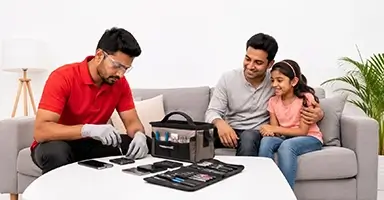
Doorstep Repair Service

No need to visit a store. Our technician comes to your home or office for on-the-spot repair.

High-Quality Parts

We use only tested and high-quality spare parts to ensure long-lasting performance.

Fast & Same-Day Service

Most repairs are completed within 30-60 minutes at your location.

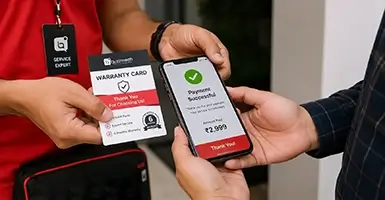
Warranty Support

Get service warranty on repairs for peace of mind.

100% Data Safety

Your data stays safe during the repair process - no data loss risk.


Mobile Problems We Fix
  • Screen Replacement (cracked / broken display)
  • Battery Replacement (fast drain / not charging)
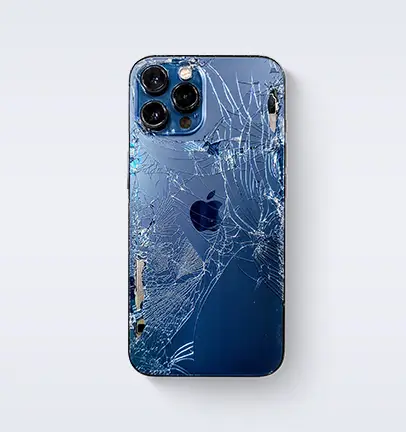
  • Back Glass Replacement
  • Camera Repair
  • Speaker / Mic Issues
  • Charging Port Repair
  • Water Damage Repair
  • Software Issues / Phone Hanging
  • Dead Phone (not switching on)
  • Back Glass Replacement

Even if your phone is badly damaged - we can fix it!


How to Book Phone Repair on Buzzmeeh (Simple 4-Step Process)

Step 1: Select Your Device

Visit www.buzzmeeh.com and choose your phone brand, model, and issue.

Step 2: Book Repair Slot

Select your preferred date & time for doorstep service.

Step 3: Doorstep Diagnosis & Repair

Our technician visits your location and repairs the device in front of you.

Step 4: Pay After Service

Pay only after successful repair - no advance, no hidden charges.


Benefits of Repairing Instead of Replacing
  • Save up to 70% cost vs buying new phone
  • Quick fix without data loss
  • Extend your device life
  • Eco-friendly choice
  • No need to transfer data

Repair iPhone & Android Phones at Best Price

Buzzmeeh specializes in:

  • iPhone Repair (all models)
  • Samsung Phone Repair
  • Vivo / Oppo / Xiaomi Repair
  • OnePlus Repair
  • All Android Phone Repairs

No matter the issue - Buzzmeeh fixes it.


Why Buzzmeeh Is Trusted by Thousands
  • Transparent pricing
  • No hidden charges
  • Doorstep convenience
  • Skilled technicians
  • Fast turnaround time
  • Customer-first approach

Buzzmeeh is not just a repair service - it’s the smartest way to fix your device.

Trusted by Thousands. Real Customer Experiences.

Honest feedback from customers who trust Buzzmeeh for fast, safe, and professional doorstep repairs.

Priyankar Bhattacharjee

Priyankar Bhattacharjee

★★★★★

Recently, I had to get my Samsung smartphone battery replaced, and I think Buzzmeeh did a very nice job with it. I especially liked that the technician communicated his schedule clearly and showed up on time. I also appreciate how patiently he listened to me and answered all my questions. Hope this same standard is maintained for future service requests too.

Samsung Battery Quality Parts
Nagoor Gani

Nagoor Gani

★★★★★

"I recently got my iPhone screen and battery replaced by Buzzmeeh in Pune Viman Nagar, and I’m extremely satisfied. The service was quick, affordable, and hassle-free. The technician arrived on time, was professional and polite, and completed the repair at home in just 15-20 minutes. The 6-month warranty on parts was a great bonus. Highly recommended!"

6 Months Warranty Quality Service
Gunav Mallhotra

Gunav Mallhotra

★★★★★

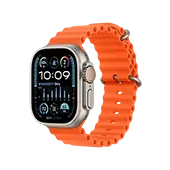
"One of the best repair company. My Apple Watch Series 4 screen cracked, so I contacted Apple, but they had no solution. So I approached Buzzmeeh, and they replaced my watch screen in just 1 day and for a very affordable price. HIGH QUALITY SCREEN. BEST PRICES. TRUSTABLE COMPANY."

Apple Watch Series 4 Screen Replacement
 Rajendra Mote

Rajendra Mote

★★★★★

"Great experience with Buzzmeeh! I got my iPhone 13 screen and battery replaced, and the service was smooth from start to finish. The technician was highly skilled, professional, and completed the job efficiently at my doorstep. The quality of work and convenience offered truly stood out. Overall, a reliable and hassle-free service. I would definitely recommend Buzzmeeh to anyone looking for quick and trustworthy mobile repairs."

iPhone 13 Screen & Battery Repair
Smart Device Safety by Buzzmeeh

Keep your devices safe, private, and secure.

Your mobile, iPad, Apple Watch, MacBook, and AirPods carry personal data, memories, and account access. This Apple-style safety guide helps users understand common risks, warning signs, and the right steps to protect every device.

Protected Areas

5 Device Types

Security Focus

Updates, Access, Privacy

Common Risks

Phishing, Malware, Data Theft

Support Type

Doorstep Expert Help

Device-specific safety guidance

Clean Apple-style cards with real icons, expandable sections, and better readability.

Mobile (Android & iPhone)

Core protection for daily-use devices with sensitive data.

OS & App Updates

Security Backbone

Regular updates patch vulnerabilities that hackers actively exploit. Outdated software increases the risk of malware, data theft, and app instability.

App Installation Source

Risk Control

Apps from unofficial sources may contain spyware or malicious scripts. They can silently access contacts, banking apps, or camera data in the background.

Authentication

First Line of Defense

Strong passcodes with Face ID or fingerprint protection reduce unauthorized access if the phone is lost, stolen, or briefly unattended.

2-Factor Authentication

Account Protection

Even if a password is leaked, 2FA adds an extra verification layer and helps protect email, banking, and social accounts.

Public Wi-Fi Usage

Data Exposure Risk

Unsecured public networks can expose logins, payment activity, and personal browsing through interception attacks. Avoid sensitive activity unless you are using a trusted VPN.

Apple Watch

Small device, but still holds private notifications and personal data.

Passcode Lock

Data Safety on Wrist

Without a passcode, your watch may expose notifications, health information, and app previews if misplaced.

Bluetooth Management

Connection Security

Keeping Bluetooth active all the time increases unnecessary exposure to unauthorized pairing attempts and tracking risks.

watchOS Updates

Stability & Security

Updates improve syncing, fix bugs, and close loopholes between the watch and paired iPhone.

Device Pairing Control

Unauthorized Access Prevention

Remove old or forgotten pairings to avoid accidental data sharing or stale access from unused devices.

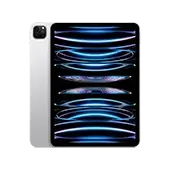
iPad & Tablets

Safe app ecosystem, secure browsing, and permission control.

Official App Stores

Safe Ecosystem

Official stores screen apps for malware and suspicious behavior. Third-party installations bypass many of these safeguards.

VPN Usage

Secure Browsing Layer

A VPN adds encryption while using public Wi-Fi, especially useful for payments, emails, and work apps.

Auto Wi-Fi Connection

Silent Threat

Disable auto-connect to unknown networks so your device does not join suspicious hotspots without clear user action.

App Permissions

Data Control

Review camera, mic, location, and storage access regularly. Over-permissioned apps can collect far more data than necessary.

MacBook / Laptops

System-level protection for files, passwords, and business use.

Firewall & FileVault

System-Level Protection

Firewall blocks suspicious incoming access, while FileVault encrypts your files so data is harder to read if the device is compromised.

Email Threat Awareness

Phishing Defense

Fake links and login pages are a common attack method. One wrong click can expose credentials or install malicious software.

Antivirus / Endpoint Security

Threat Detection

Advanced protection tools help detect ransomware, spyware, and suspicious behavior that may bypass basic system safeguards.

Admin Password Strength

Access Control

A weak admin password can allow full system control if guessed or reused. Use strong unique credentials for primary access.

macOS Updates

Performance + Security Balance

Keeping macOS updated improves compatibility, fixes bugs, and strengthens defenses against newly discovered vulnerabilities.

AirPods & Wireless Devices

Pairing safety, firmware hygiene, and connection privacy.

Pairing Control

Unauthorized Access Risk

Pairing with unknown devices can create risks like audio interception, unwanted control, or device tracking.

Reset Function

Security Reset

Resetting removes old connections and helps ensure no hidden or forgotten device still retains access.

Firmware Updates

Stability & Protection

Firmware updates improve reliability, reduce bugs, and strengthen wireless communication security.

Auto Switching

Privacy Concern

In crowded environments, automatic switching may connect to unintended devices or create confusing privacy behavior.


Common signs your device might be hacked

These warning signals do not always confirm hacking, but they should never be ignored.

Battery drains unusually fast

Malware or unauthorized background activity may consume power continuously.

Unknown apps appear suddenly

Unexpected apps may signal malicious downloads, unsafe installs, or remote tampering.

Device becomes slow or unstable

Hacking scripts or malware can overload CPU, RAM, storage, or network resources.

Pop-ups and ads increase

Frequent redirects and pop-ups may point to adware or browser hijacking behavior.

Login alerts from unknown locations

Unexpected sign-in notifications can indicate leaked credentials or account takeover attempts.

Repeated permission requests

Apps asking again and again for access may be misconfigured, intrusive, or unsafe.


What to do if your device is hacked

Follow these first-response steps before the issue gets worse.

01

Disconnect immediately

Turn off Wi-Fi, mobile data, and Bluetooth to reduce live communication with attackers.

02

Change major passwords

Use a safe device to update passwords for email, banking, social, and cloud services.

03

Factory reset if required

Back up important data carefully, then reset the device if malware is strongly suspected.

04

Get expert assistance

Professional diagnosis helps prevent data loss, deeper corruption, and repeated reinfection.

Buzzmeeh Tip

Security issues usually begin with small negligence: outdated software, weak passwords, ignored warnings, unsafe apps, or public-network exposure. Regular maintenance, timely repairs, and proactive checks can prevent both performance issues and hacking risks before they become serious.

Need help with device safety or diagnosis?

Whether it’s repair, security diagnosis, or performance optimization, Buzzmeeh provides expert doorstep support to keep your devices safe and running smoothly.

Device Insights

Detailed Specifications That Explain Real Usage

Instead of showing only short specs, this section explains how each feature affects daily performance, battery life, camera quality, connectivity, software experience, and long-term reliability.

Get Your Device Fixed, Anytime, Anywhere!

Buzzmeeh Expert Device Repair Anytime, Anywhere
Reliable Service for Mobile, Apple Watch, iPad, Tablet, MacBook, Laptop, and More.

Have more questions? Reach out to us at 8010969696 or email us at support@buzzmeeh.com

High Quality Parts
Up to 1 Year Warranty
Onsite Repair
Quick Turn around time
High Quality Parts
Up to 1 Year Warranty
Onsite Repair
Quick Turn around time
High Quality Parts
Up-to 1 Year Warranty
Onsite Repair
Quick Turn around time
High Quality Parts
Up-to 1 Year Warranty
Onsite Repair
Quick Turn around time