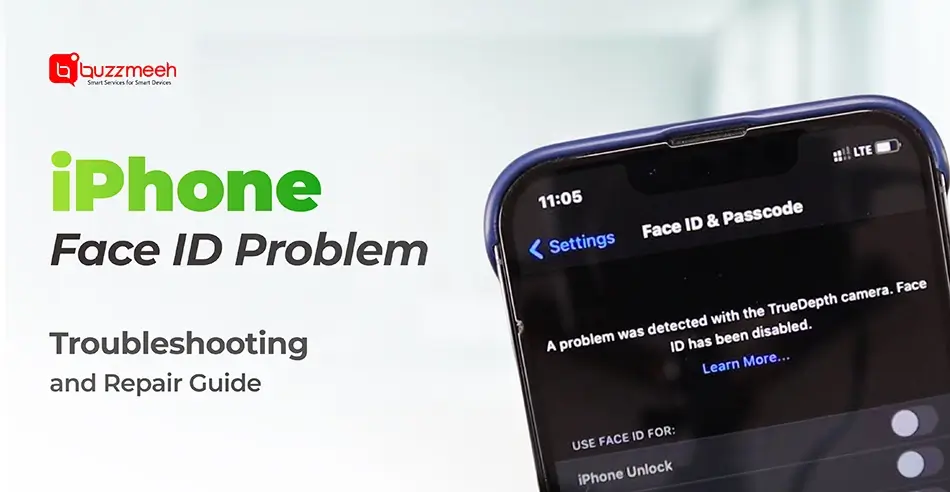
iPhone Face ID Problem: Troubleshooting & Repair Guide
Face ID is one of the most advanced and secure features of an iPhone. It unlocks your device, authenticates payments, signs you into apps, and makes the entire experience seamless. But when Face ID stops working, everything suddenly becomes slow and frustrating. Many users panic, thinking the device is permanently damaged but don’t worry, most Face ID issues are fixable with the right approach.
In this guide, you’ll learn the most common causes behind Face ID problems, simple troubleshooting steps, when to seek professional help, and how trusted service providers like Buzzmeeh can restore your device with expert-level iphone face id repair solutions.
Read Also: The Significance of Timely iPhone Repair Services in Noida
Why Does Face ID Stop Working?
Face ID relies on a combination of cameras, sensors, and a dot projector called the TrueDepth system. If any small component is misaligned, obstructed, or damaged, Face ID may not respond at all.
The most common reasons include:
1. Dust, Dirt or Screen Guard Misalignment:
If dirt covers the TrueDepth camera or your screen guard is installed poorly, Face ID may fail to detect your face.
2. Software Glitches:
iOS bug updates, incorrect settings, or temporary app conflicts can disable Face ID unexpectedly.
3. Hardware Damage:
Drops, pressure on the screen, or heavy impact can damage the internal sensor system. Even minor screen damage can affect facial recognition, which is why timely iphone screen repair is important.
4. Water or Moisture Exposure:
Water may enter the top sensor area, causing malfunction in the IR flood illuminator.
5. Previous Unauthorised Repairs:
If your phone was repaired earlier by a non-professional, internal Face ID components might have been damaged or disconnected.
Read Also: Breathing New Life into Your Old Phone: iPhone Battery Replacement Explained
First Try These Troubleshooting Steps
Before you book iphone repair service, try these simple checks:
1. Clean the Camera Area
Use a microfiber cloth to gently wipe the front camera and Face ID sensor area.
2. Remove Screen Guard / Case
Some thick tempered glass or rugged cases block sensors. Remove them and test Face ID again.
3. Restart Your iPhone
A simple reboot can fix temporary bugs.
4. Reset Face ID
Go to:
Settings → Face ID & Passcode → Reset Face ID
Then set it up again.
5. Update iOS
Sometimes Face ID issues vanish after updating to the latest iOS version.
6. Disable Attention Awareness
Try turning off:
Settings → Accessibility → Face ID & Attention
If Face ID still doesn’t work, the problem is likely hardware-related and needs expert handling.
Read Also: The Ultimate Guide to Fixing iPhone Green and White Screen Issues: Tips and Tricks
Hardware Issues That Need Professional Repair
When troubleshooting doesn’t help, the issue may be in one of these components:
- Dot Projector Failure
This projects thousands of invisible dots to map your face. If damaged, Face ID stops working entirely.
- Flood Illuminator Failure
This helps Face ID work in the dark. When it fails, the system cannot detect your face.
- Proximity / Ambient Light Sensor Damage
Impacts often disconnect or damage the ribbon cables under the display.
- TrueDepth Camera Module Damage
A heavy drop can misalign or break the delicate sensor system.
These repairs require micro-soldering and advanced tools. Attempting DIY fixes can permanently disable Face ID.
Why Choose Buzzmeeh for Face ID Repair?
Buzzmeeh is known for safe, professional doorstep repair services across India. Here’s how Buzzmeeh ensures high-quality iphone face id repair:
- Certified Technicians
Experts trained to handle internal components like Face ID sensors, logic boards, and display modules.
- Advanced Tools
Uses micro-soldering equipment and high-precision machines specifically designed for Face ID repair.
- Transparent Diagnosis
A complete checkup is done before starting the repair.
- Free Pickup & Drop
If Face ID repair requires lab-level tools, your phone is picked up and dropped back safely.
- Strict Safety Standards
Internal sensor calibration is done to ensure Face ID works smoothly after repair.
Read Also: Why Choose Doorstep iPhone Repair Services in Dehradun?
Cost & Time for iPhone Face ID Repair
Depending on the model and damage level, repairs may include:
- Flood illuminator repair
- Dot projector repair
- Sensor flex replacement
- Proximity/light sensor repair
- Full module replacement
Repair time usually ranges from 2 hours to 48 hours, depending on the complexity. Final cost is shared after diagnosis.
Read Also: iPhone Earspeaker Not Working? Here’s How to Fix It Professionally!
Important: Previous motherboard repairs affect Face ID
If the device motherboard has been tampered with earlier, or if the phone has been repaired by another party, Buzzmeeh may require additional diagnosis.
How to Avoid Future Face ID Problems
- Use high quality screen guards
- Avoid dropping or pressing the top area of your phone
- Keep your device dry
- Always choose trusted professionals for repairs
Read Also: Fast and Affordable iPhone Screen Repairs at Buzzmeeh: What You Should Know
Final Thoughts
Face ID issues can be frustrating, but they are fixable in most cases. Whether it’s a software glitch or a hardware fault, identifying the cause early helps you restore full functionality quickly.
Buzzmeeh offers reliable and expert solutions for iphone face id repair with doorstep service, professional tools, and complete transparency. If your Face ID has stopped responding, don’t ignore it or rely on risky local repair attempts. Let Buzzmeeh bring your iPhone back to full working condition with safe and smart repair care.