WhatsApp
Call

Realme 1 Camera Repair Services


Select Your Color


Doorstep Realme 1 Camera Repair and Replacement with Buzzmeeh - Your Solution for Online Camera Repair

If you're in search of an online Camera repair service for your mobile device, look no further than Buzzmeeh. Buzzmeeh offers a convenient and reliable solution for all your Realme 1 Camera repair needs, right at your doorstep. With highly trained technicians, high-quality spare parts, and up to 6 months post-repair warranty, Buzzmeeh is the ideal choice for those in need of a mobile Camera repair near me.

Say goodbye to the hassle of visiting a traditional repair shop. With Buzzmeeh's doorstep mobile repair service, you can have your device repaired while you continue with your daily activities. Our technicians will come to your location, at a time that's convenient for you, to repair or replace your damaged smartphone screen. This eliminates the need for you to take time off from work or other important commitments to have your device repaired.

At Buzzmeeh, we understand the importance of your mobile device and take great care to ensure that it's handled with care. Our technicians are highly trained and use only high-quality spare parts to repair or replace your device's Camera. This guarantees that your device will be returned to its original state, functioning as good as new.

In addition to convenience, Buzzmeeh also offers affordable prices for our repair services. Our goal is to make repairing your device as seamless and stress-free as possible, without breaking the bank. With an up to 6 months post repair warranty, you can have peace of mind knowing that your device is in good hands.

With our commitment to quality and customer satisfaction, it's no wonder that Buzzmeeh has quickly become a trusted name in mobile repair. So, why wait? If you're in need of a Realme 1 Camera repair near me, look no further than Buzzmeeh. Contact us today to schedule a repair appointment and get back to your digital life.

Certified Mobile Repair Technician
Express Doorstep Service

Screen Fixed in 15 - 60 Mins

Certified & Verified Technicians

Fast Doorstep Screen Repair

Expert Techs | Pay Post Service | Instant Discount

LIMITED OFFER
Get Flat ₹200 OFF On First Booking

**Valid on select iPhone & Google Pixel Screen Repairs

15-60 Min Fix

Expert doorstep repair

High Quality Parts

Up To 12 months warranty

Customer Feedback Verified Review
Rajinder pahwa
Rajinder pahwa ★★★★★ 5.0

"Pixel 7 Pro screen fixed smoothly at my office. Very polite technician!"

Device Insights

Detailed Specifications That Explain Real Usage

Instead of showing only short specs, this section explains how each feature affects daily performance, battery life, camera quality, connectivity, software experience, and long-term reliability.

Mobile Specifications

Back to top ↑

Detailed mobile specifications should explain not just the hardware, but how the phone behaves in gaming, multitasking, battery aging, camera quality, display durability, connectivity, and long-term software use.

Processor

Performance Chipset

A powerful processor may still feel slower after 1 to 3 years of heavy use such as gaming, Instagram, video editing, multitasking, and background app load, especially when battery health drops or storage gets nearly full.

Display

AMOLED, OLED or LCD

The display directly affects everyday viewing, scrolling, streaming, and gaming. Premium panels offer better contrast and color, but long-term use can lead to green line issues, burn-in, touch problems, flickering, or expensive screen damage.

Rear Camera

Main Camera System

Camera performance depends on the lens, sensor, and software tuning, not only megapixels. Over time, users may face blur, focus issues, shake, dust inside the lens, or broken camera glass that affects photo quality.

Front Camera

Selfie and Video Calling Camera

The front camera is important for selfies, video calls, and face-based features. If the front module is damaged, image quality, calling clarity, and some authentication features may be affected together.

RAM & Storage

Memory and Internal Storage

Higher RAM helps keep apps smoother in multitasking, while low RAM can cause faster app refresh. Storage that is almost full may cause lag, heating, hanging, and slower system response when photos, videos, and apps occupy too much space.

Battery

Battery Health and Backup

Even a large battery can lose noticeable health after 1 to 2 years of gaming, 5G use, hotspot, maps, video streaming, and repeated charging cycles. That usually results in fast drain, heating, charging issues, and unexpected shutdowns.

Network

4G or 5G Connectivity

Network support matters for long-term usability. Signal issues are not always caused by the SIM card alone and may also come from the antenna, motherboard, SIM tray, or signal IC.

Operating System

Android or iOS

The operating system affects app compatibility, security, and overall fluidity. New updates can improve features, but on older hardware they can also increase battery drain, heating, or lag.

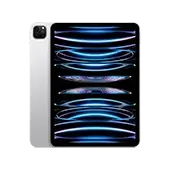
iPad Specifications

Back to top ↑

iPad specification content should help users understand daily productivity, note-making, online classes, battery life, display durability, storage limitations, and software smoothness in practical terms.

Processor

iPad Performance Chip

The processor delivers a smooth experience for note-making, browsing, streaming, and multitasking. However, older iPads may feel warm or slower when using heavy apps, design tools, games, or many tabs together.

Display

Retina or High-Resolution Panel

The display is central to reading, drawing, editing, and watching content. A sharp panel improves clarity, but accidental drops can lead to touch issues, display lines, black spots, or cracked glass.

Battery

Large Backup Capacity

An iPad generally provides strong battery backup, but online classes, gaming, meetings, YouTube, and long brightness usage can reduce battery performance over time, leading to slower charging and shorter backup.

Storage

Apps, Files and Updates

Low storage can quickly become a problem after installing apps, saving files, videos, and system updates. Once storage is full, users may experience lag, app crashes, and update installation failures.

Camera

Scanning and Video Calling Camera

The iPad camera is often used for document scanning, meetings, and classes. Blur, focus problems, or a black screen can directly disrupt work and online learning.

Connectivity

Wi-Fi or Cellular

Wi-Fi only and cellular models serve different needs. If Wi-Fi or network connectivity becomes unstable, streaming, meetings, and studying can be interrupted by either software or hardware problems.

Operating System

iPadOS

iPadOS supports productivity and multitasking features, but some older models may feel slightly slower after newer updates. Battery condition, storage space, and software health all affect smooth performance.

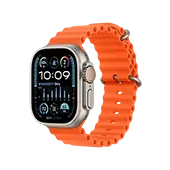
Apple Watch Specifications

Back to top ↑

Apple Watch details should explain real wearable usage such as health tracking, workout mode, compact battery life, display durability, sensor accuracy, syncing reliability, and long-term watchOS performance.

Processor

Optimized Watch Chip

The Apple Watch processor is designed for notifications, fitness tracking, and smooth navigation. Older models may feel slower after new watchOS updates, especially when battery health weakens.

Display

Always-On Retina Display

A bright display improves outdoor visibility and quick interactions, but because the watch screen is small and exposed, scratches, cracks, touch problems, and display lifting can occur more easily.

Battery

Compact Daily-Use Battery

The compact battery is built for daily wearable use, but GPS, workouts, calling, health tracking, and always-on mode can reduce backup quickly. After 1 to 2 years, frequent charging often becomes more common.

Sensors

Health and Motion Sensors

Heart rate, SpO2, ECG, and motion sensors are major Apple Watch benefits. If sensors become inaccurate, fitness tracking and health data reliability can be affected.

Connectivity

Bluetooth, Wi-Fi and Cellular

Apple Watch relies on strong pairing and syncing with iPhone. Pairing problems, network issues, or sync delays can interrupt notifications, calling, app updates, and overall usability.

Build Quality

Compact Premium Body

The premium wearable design looks refined, but regular exposure to water, impact, and accidental drops can cause screen, crown, side button, or charging issues over time.

Operating System

watchOS

watchOS brings new features and better ecosystem integration, but on older hardware it may also contribute to slightly more lag or battery drain. Battery condition and software compatibility both matter.

Tablet Specifications

Back to top ↑

Tablet specification content should explain large-screen use cases such as classes, entertainment, reading, office work, storage pressure, camera utility, and how aging hardware affects smoothness.

Processor

Everyday Productivity Performance

Tablet processors are usually capable for browsing, classes, streaming, and office work, but older devices may struggle with gaming, multitasking, or heavier educational and design apps.

Display

Large-Screen Viewing Panel

A bigger display improves reading, classes, entertainment, and work. At the same time, larger panels are also more vulnerable to pressure damage, glass cracks, touch failure, and panel damage after drops.

Battery

Long-Session Backup

Tablet batteries often last longer than mobile phones, but extended classes, meetings, streaming, and gaming can gradually reduce battery efficiency. Charging port issues can also make battery complaints worse.

Storage

Files, PDFs and Apps

Study material, offline content, apps, and videos can fill storage quickly. Low storage often causes slower performance, loading issues, and update problems, especially on student-use devices.

Camera

Meetings and Document Use

Tablet cameras are less about premium photography and more about video calling, scanning, and online classes. If either camera stops working well, communication and productivity are affected directly.

Connectivity

Wi-Fi and SIM Support

Connectivity defines how useful a tablet is for browsing, meetings, and file access. Poor Wi-Fi or network performance can interrupt classes, work sessions, and media streaming.

Operating System

Android or iPadOS Experience

The operating system shapes app support and overall usability. Older tablets may feel slower or show higher battery impact after major updates as the hardware ages.

MacBook Specifications

Back to top ↑

MacBook specification content should explain performance, professional display quality, SSD responsiveness, battery aging, keyboard and trackpad reliability, port usage, and how macOS behaves on older hardware.

Processor

Work and Multitasking Performance

MacBook processors deliver strong everyday performance for browsing, video calls, editing, and multitasking. Older Intel models or heavily used systems may show heating, fan noise, and slower response, especially when battery or SSD health is weak.

Display

Retina Display

Retina displays provide sharp text, accurate colors, and a premium viewing experience for professionals. But display lines, backlight issues, flex-related faults, or accidental damage can make repairs costly.

RAM & Storage

Memory and SSD Speed

Higher RAM improves multitasking, while SSD storage keeps boot time and app response fast. Low storage or an aging SSD can cause slow startup, lagging, and app crashes.

Battery

Cycle Health and Backup

MacBook battery health naturally degrades after long charging cycles, heat exposure, and heavy use. Over time this can lead to shorter backup, service warnings, swelling, or sudden shutdown behavior.

Keyboard & Trackpad

Daily Interaction Hardware

The keyboard and trackpad are used constantly. Dust, liquid damage, wear, or internal flex issues can cause stuck keys, double typing, poor clicks, or an unresponsive trackpad.

Ports & Connectivity

Charging, USB-C, Wi-Fi and Bluetooth

Ports and wireless connectivity are critical for work. Loose charging, unstable Wi-Fi, weak Bluetooth, or problematic USB-C ports can directly affect accessories, power input, and productivity.

Operating System

macOS

macOS improves features and security over time, but older hardware can also experience performance pressure, battery drain, or storage-related slowdown after updates. Smooth experience depends on both software and hardware condition.

AirPods Specifications

Back to top ↑

AirPods specification content should explain sound output, microphone quality, charging case dependence, Bluetooth reliability, battery cycle aging, and the practical issues users face after long-term daily use.

Audio Driver

Sound Output Performance

Sound quality depends on the internal audio system, not just brand value. Over time, speaker mesh blockage, dust, moisture, or internal component faults can cause low volume, crackling, or uneven sound.

Battery

Buds and Case Battery Health

AirPods and their charging case use small batteries that are highly cycle-dependent. After 1 to 2 years of regular use, battery life often drops significantly and the buds may discharge too quickly.

Microphone

Calling and Voice Clarity

The microphone is important for calls, meetings, and voice notes. Dust, moisture, or hardware damage can make the voice sound low, unclear, or disturbed during use.

Charging Case

Power and Pairing Support

The charging case is not just for storage. It controls charging, pairing behavior, and daily convenience. Case connector faults, charging problems, lid damage, or pairing issues can make normal use difficult.

Connectivity

Bluetooth Pairing Stability

AirPods are known for convenient wireless pairing, but one-side connection problems, auto disconnect, reset issues, or delayed audio can happen due to either hardware or software causes.

Build Quality

Compact Daily-Use Design

Because AirPods are small and lightweight, they face regular risk from drops, sweat, pocket pressure, and moisture. One bud sounding low or going dead is a common long-term complaint.

Software & Compatibility

Firmware and Device Integration

Firmware updates and compatibility improve user experience, but they can also be linked with pairing issues, battery reporting problems, or inconsistent sensor response in some cases.

Fast & Reliable Doorstep Gadget Repair Services

Trust Buzzmeeh for local doorstep gadget repairs. From iPhone screen replacements to MacBook battery fixes, our certified technicians deliver fast, reliable service with a hassle-free warranty near you.

Doorstep Mobile Repair and Screen Replacement Service
Doorstep Service

Mobile Repair

Express doorstep screen, battery, charging port, and camera repair services for all phone brands.

  • Mobile Screen Replacement
  • Battery Health & Replacement
  • Charging Port Repair
  • Camera & Glass Replacement
Instant Repair →
Certified Apple Watch Repair Service
Apple Specialist

Apple Watch Repair

Expert Apple Watch display, battery, and digital crown repair services with genuine parts warranty.

  • Apple Watch Glass Replacement
  • iWatch Battery Replacement
  • OLED Display Fixing
  • Digital Crown & Sensor Repair
Instant Repair →
Doorstep iPad Repair and Screen Fix
Doorstep Service

iPad Repair

Professional iPad screen, battery, charging port, and OS restoration for iPad Pro, Air, and Mini.

  • iPad Screen & Digitizer Fix
  • Battery Replacement Service
  • Charging Port & Board Repair
  • Software & OS Restoration
Instant Repair →
Android Tablet Diagnostic and Repair Service
All Brands Covered

Tablet Repair

Complete diagnostic and hardware repair solutions for Samsung, Lenovo, and Android tablets.

  • Tablet Screen Replacement
  • Battery Diagnostics & Change
  • Type-C Charging Port Repair
  • Software Troubleshooting
Instant Repair →
MacBook Screen and Battery Repair Service
Certified Techs

MacBook Repair

Specialized MacBook screen replacement, keyboard repair, battery service, and macOS assistance.

  • Retina Display Replacement
  • MacBook Battery Replacement
  • Keyboard & Trackpad Repair
  • macOS Installation & Recovery
Instant Repair →
AirPods Audio and Battery Repair
Audio Repairs

AirPods Repair

Audio distortion fixing, battery restoration, and charging case repair for AirPods Pro and Max.

  • Audio & Mic Distortion Repair
  • Bud Battery Replacement
  • Charging Case Repair
  • Bluetooth Connectivity Fix
Instant Repair →

Have more questions? Reach out to us at 8010969696 or email us at support@buzzmeeh.com