Phone Dropped on a Mumbai Local? How to Check the Damage Before You Book a Repair
Anyone who rides the Mumbai local knows the moment. The train jerks at Dadar, someone pushes from behind, and your phone slips out of your hand and hits the floor. You pick it up, the screen lights up, and you breathe again. But a phone dropped in a Mumbai local can look fine for an hour and then start acting strange by evening.
Many phones I repair come from daily commuters, and the damage follows a pattern. Here’s the five-minute check I’d walk you through on the platform. It tells you whether you need a repair, which one, and how urgent it is.
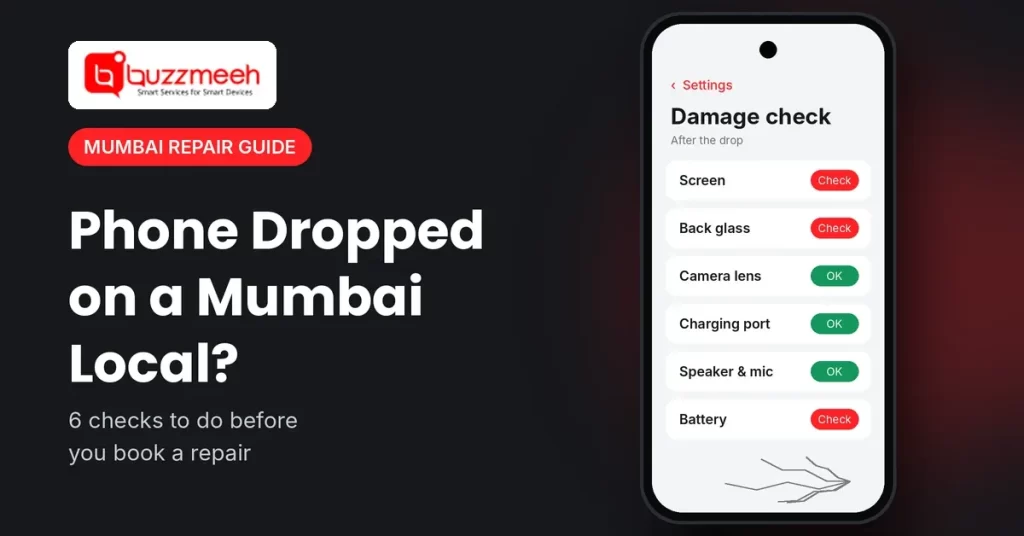
Quick answer: After a phone dropped in a Mumbai local, check six things: the screen, the back glass, the camera lenses, the charging port, the speaker and mic, and the battery. Cracks, lines, dead touch or a warm, bulging back mean you should book a repair soon. If the battery looks swollen, stop charging and using the phone straight away.
The First Two Minutes After the Drop
- Pick it up carefully. Broken glass edges can cut your fingers.
- Don’t keep swiping on a cracked screen. Tiny glass pieces can come loose.
- Feel the back. If it’s getting hot or looks raised, switch the phone off.
- Put it in a pocket where nothing presses on it until you get off the train.
How to Check the Damage, Part by Part
Do this once you’re home or at your desk, in good light.
1. Screen
Open a white page, turn brightness up and look for cracks, coloured lines, black patches or flicker. Then drag an app icon slowly across the whole screen. If it jumps or stops, the touch layer has damage. Cracks that start at a corner tend to spread, so don’t leave them for months. On an iPhone, a cracked panel with dead touch usually means an iPhone screen replacement, not just new glass. For iPhones, see our iPhone screen replacement options in Mumbai.
2. Back Glass
Turn the phone over and run a finger gently across the back. On most newer phones, the back is glass too. A crack there often comes from the phone sitting in a back pocket while the compartment presses in from all sides. It isn’t only cosmetic. A cracked back can cut your hand and let moisture in, so get it changed.
3. Camera Lenses
Open the camera, switch between lenses and take a photo of something far away. Blur, a spot that stays in every photo, or a visible crack on the lens glass means the lens cover needs replacing.
4. Charging Port
Plug in your usual cable. If it feels loose, charges only at an angle, or stops and starts, the drop may have hit the port. Also look inside with a torch. Commuter phones collect a lot of lint and dust, which can block the cable from going in fully.
5. Speaker and Microphone
Play a song, then make a short call. Crackling, very low sound, or the other person saying they can’t hear you clearly points to a speaker or mic problem.
6. Battery
This is the one to take seriously. If the phone heats up quickly, the battery percentage jumps around, or the screen or back seems to be lifting, the battery may be damaged or swollen. Stop charging it and book a check. Don’t press on it to “push it back”.
Quick Guide: What You See and What You Need
| What you see | Likely repair |
|---|---|
| Cracks, lines, black patches, dead touch | Screen replacement |
| Cracked back, sharp edges | Back glass replacement |
| Blurry photos, cracked lens | Camera lens or camera repair |
| Loose cable, slow or no charging | Charging port repair |
| Low or crackly sound, caller can’t hear you | Speaker or mic repair |
| Heating, fast drain, lifting back | Battery replacement |
Tip from Akash, Mobile Repair Technician: “Most commuter damage I see starts in the back pocket, not from the drop itself. Keep your phone in a front pocket or a zipped bag during peak hours, and use a case with a raised lip around the screen and camera. That one habit saves a lot of screens.”
Why Phones Break So Often on the Local
A packed compartment at peak hour is hard on phones. Crowds push people against doors and poles, bags press into pockets, and a phone held near the door can slip when the train brakes. Phones also fall into the gap between the train and the platform more often than anyone likes to admit. So check every phone dropped in a Mumbai local properly, even when it seems fine.
Heat plays a part too. A phone in a tight pocket in a crowded coach gets warm, and a knocked phone handles heat badly. A small Monday drop can turn into a battery or display problem by Friday.
Foldable Phones Need Extra Care
A foldable phone dropped in a Mumbai local needs the most care. If you carry a foldable, like a Samsung Galaxy Z Fold or Z Flip, a Motorola Razr or a Pixel Fold, be extra gentle after a drop. Open it slowly and check the inner screen along the fold. Lines, a black patch near the crease, or a hinge that suddenly feels stiff or clicks needs a proper check. Don’t force it open or shut, and don’t peel the factory layer on the inner screen.
Before You Book a Repair
Once you’ve checked a phone dropped in a Mumbai local, do these five things before the technician arrives.
- Back up your photos and chats.
- Note your exact model from Settings, then About phone.
- Take clear photos of the damage, front and back.
- Ask which part they’ll fit and what the warranty covers.
- After the repair, test touch, cameras, calls and charging before you pay.
How We Help Commuters in Mumbai
We do doorstep mobile repair across Mumbai, including Andheri and Bandra, at your home or office, so you don’t lose half a day at a shop after a long commute. If your phone dropped in a Mumbai local on the way to work, we can come to your office instead. Send us your model and a photo, and we’ll tell you which repair it looks like before you book. You get a clear quote first and pay by UPI, card or cash only after testing the phone.
Most screen and battery repairs take 1–3 hours when the part is in stock; otherwise, they take 24–72 hours. Every repair comes with a digital warranty card, as per our warranty policy.
We repair all the common brands. See our Mumbai pages for iPhone, OnePlus mobile repair, Google Pixel and Xiaomi. If your phone drains fast after the drop, see our iPhone battery replacement and other battery options.
Dropped your phone on the local? Send us a photo
Tell us your phone model and area, and share a photo of the damage. We’ll suggest the repair, the quote and a time slot.
FAQs: Phone Dropped in a Mumbai Local
My phone fell but the screen looks fine. Should I still check it?
Yes. Check the back glass, cameras, charging port and battery too. Some damage only shows up after a few hours of use.
Can I keep using a phone with a cracked screen?
For a short time, yes. But cracks usually spread, glass can cut your fingers, and dust can get in, so book a repair soon.
What should I do if the battery looks swollen?
Stop charging and using the phone, keep it away from heat, and book a check with a technician. Don’t press on the bulge.
Can you repair my phone at home or in the office in Mumbai?
Yes. We do doorstep mobile repair in Mumbai for most screen, battery, back glass and charging jobs, depending on the model and the part.
Will I lose my data during the repair?
A screen, battery or back glass repair doesn’t touch your storage. Still, back up your phone before any repair.
Everything Else We Fix
- Screen and display repair, from cracked glass to lines and dead touch
- Battery replacement, when the phone drains fast or heats up
- Back glass and body repair, after a crack or dent on the back
- Charging problems, such as a loose port or slow charging
- Camera and flash repair, for blurry photos or a cracked lens
- Speaker and microphone repair, when calls sound low or people can’t hear you
Written by Akash, Mobile Repair Technician at Buzzmeeh
Akash has more than 10 years of experience repairing smartphones, from cracked screens and back glass to batteries and charging ports, on iPhone, Samsung, OnePlus, Pixel and other brands.
Last updated: November 2026.
Buzzmeeh is an independent repair service. We use brand names only to describe the phones we repair; they belong to their owners.