How Long Does a MacBook Battery Replacement Take? Step-by-Step Process
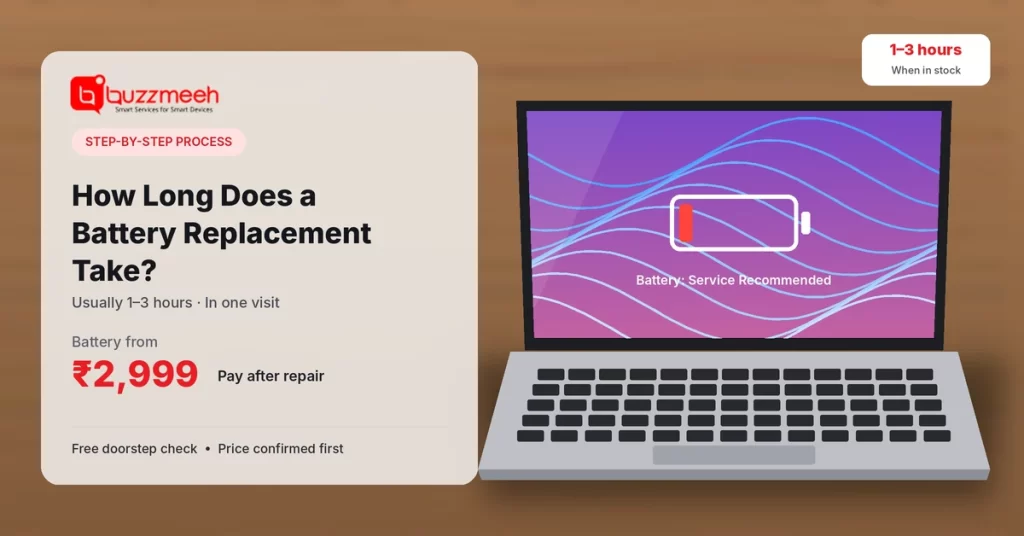
MacBook battery replacement time is usually 1 to 3 hours when the battery is in stock, and with a doorstep service you don’t have to leave your MacBook anywhere. The exact time depends on your model, how Apple fixed the battery inside, and whether anything else needs attention. Below, I’ll walk you through each step of the job and how long it takes, so you can plan your day around it.
Quick answer: A MacBook battery replacement takes about 1 to 3 hours in one visit when the battery is in stock. Older MacBooks with screwed-in batteries take closer to an hour, while newer models with glued batteries take 2 to 3 hours. If the battery needs ordering, allow 24 to 72 hours.
MacBook Battery Replacement Time, Step by Step
Here’s what happens during a doorstep battery replacement at Buzzmeeh, and roughly how long each step takes:
- Booking and price (a few minutes): first, you send your model number, so we can confirm the price and check that the battery is in stock.
- Free check (10–15 minutes): when the technician arrives, they read the cycle count and battery health in front of you, and then confirm the price.
- Opening and disconnecting (10–15 minutes): next, they remove the bottom case and disconnect the battery from the logic board, before touching anything else.
- Removing the old battery (20–90 minutes): this is the longest step, because Apple glues most modern batteries, so they need to come out slowly.
- Fitting the new battery (15–20 minutes): then the technician fits and connects the new battery and closes the case.
- Testing (15–20 minutes): finally, the technician checks charging, Battery Health, the trackpad and the keyboard with you.
- Payment and warranty (5 minutes): after you’re happy, you pay and get a digital warranty card.
MacBook Battery Replacement Time by Model
Because removing the old battery takes most of the time, the model you own makes the biggest difference to MacBook battery replacement time:
- MacBook Air and Pro from 2012–2015: about 1 hour, since screws hold many of these batteries in place.
- MacBook Air from 2018 onwards, including M1, M2, M3 and M4: about 1.5 to 2 hours, because adhesive holds the battery cells in place.
- MacBook Pro from 2016–2020: about 2 to 3 hours, as strong adhesive holds these batteries, so they need extra care around the trackpad cable.
- 14-inch and 16-inch MacBook Pro: about 2 to 3 hours, mainly because the battery is larger and spread across several cells.
- MacBook Neo: confirm stock first, because batteries for this newest model are still harder to get.
Tip from Sameer, Senior Technician: “The fastest battery jobs are never the rushed ones. Pulling a glued battery too quickly is how trackpad cables tear, and then a one-hour job becomes a two-day one. So if a technician takes an extra 20 minutes to do it slowly, that’s a good sign.”
What Can Increase MacBook Battery Replacement Time?
- The battery isn’t in stock, so it needs ordering, which adds 24 to 72 hours.
- A swollen battery, because it needs careful removal so it doesn’t puncture.
- Old liquid damage, since corrosion around the connector may need cleaning first.
- Extra repairs found during the check, such as a bent trackpad or a faulty charging port.
- A very new model, because parts for it may not be available locally yet.
MacBook Battery Replacement Time: Doorstep vs Drop-Off
For a battery job, the difference is simple. At your door, the total MacBook battery replacement time is just the repair, usually 1 to 3 hours, and the MacBook never leaves your sight. At a shop or service centre, however, the battery may need ordering and the MacBook may wait in a queue, so it can take one to several days. For a wider comparison across all repairs, see how long a doorstep MacBook repair takes.
Two Things That Save Time on the Day
- Share your exact model number in advance, because that’s how we bring the right battery on the first visit.
- Keep your charger nearby, since the technician tests charging before you pay.
Also, back up your MacBook beforehand just to be safe, and never share your Apple ID password; a separate test account works instead. When you’re ready, book a doorstep MacBook battery replacement.
Can You Use the MacBook Straight After?
Yes. As soon as the technician has tested it, you can use your MacBook, even while it charges. However, Battery Health and backup estimates take a few charge cycles to settle, so don’t judge the new battery on the first day. For what to expect in the first week, read what’s normal after a MacBook battery replacement.
Not sure you need a new battery yet? Then check the MacBook battery replacement signs first. And for prices by model, see our MacBook battery replacement cost guide.
Get your battery replaced in one visit
Send us your model number. We’ll confirm the price and stock, and a technician will replace the battery in front of you.
FAQs: MacBook Battery Replacement Time
How long does a MacBook battery replacement take?
The usual MacBook battery replacement time is 1 to 3 hours in one visit when the battery is in stock. If it needs ordering, allow 24 to 72 hours.
Why does a MacBook Pro battery take longer than an Air?
Because most Pro batteries are larger and more strongly glued, so they take more time to remove safely.
Can the battery be replaced at my home or office?
Yes. A technician does the whole job at your home or office, so your MacBook never leaves your sight.
How long does it take at a service centre?
It varies, but a drop-off often takes one to several days, because of queues and part ordering. So ask for a written time estimate when you hand it over.
Can I use my MacBook immediately after the battery replacement?
Yes, right after testing. However, give the battery readings a few days to settle.
Will I lose data during the battery replacement?
No, because the repair doesn’t touch your storage. Still, a backup beforehand is a good habit.
More MacBook Battery Help
- When you’re ready, book a MacBook battery replacement at home
- Thinking of doing it yourself? First read can you replace a MacBook battery yourself
- For MacBook Air prices, also see the MacBook Air battery replacement cost guide
Written by Sameer, Senior MacBook Technician at Buzzmeeh
Sameer has 10+ years of hands-on experience replacing MacBook batteries, from screwed-in 2012 models to glued Apple silicon batteries.
Last updated: November 2026. Times are typical figures from our repairs, and they can vary with the MacBook’s condition.
Buzzmeeh is an independent repair service and has no affiliation with Apple Inc. MacBook, Apple ID, iCloud and Time Machine are trademarks of Apple Inc.