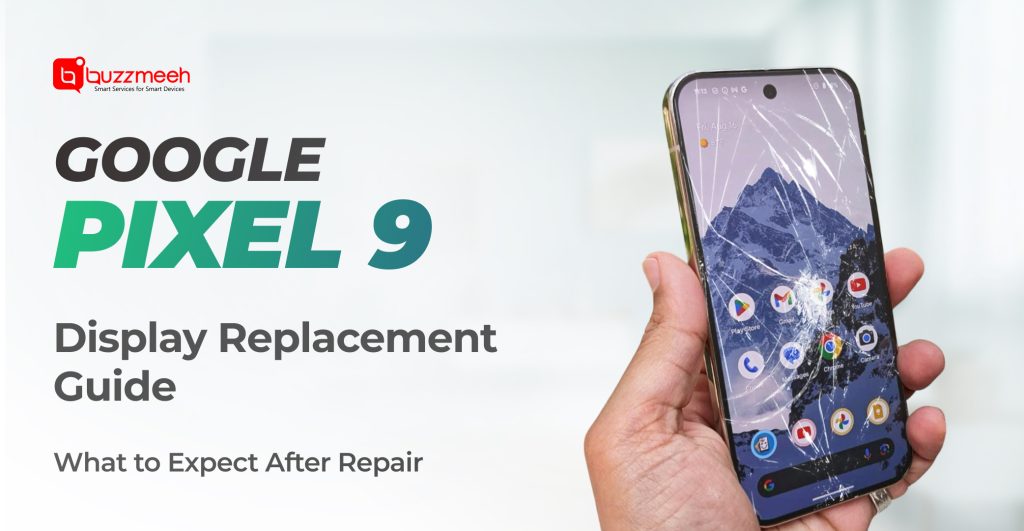
Google Pixel 9 Display Replacement Guide: What to Expect After Repair
The Google Pixel 9 stands out for its clean Android experience, advanced camera system, and vibrant OLED display. But like any premium smartphone, accidents can happen. A sudden drop, pressure damage, or internal display fault can leave you dealing with a cracked screen, touch issues, or a blank display.
If you’re planning a Google Pixel 9 screen Repair, it’s natural to wonder what happens after the repair. Will the screen feel the same? Will touch accuracy and color quality remain intact? And what precautions should you take?
This guide walks you through exactly what to expect after a Google Pixel 9 display replacement, so you can make an informed decision with confidence.
Read Also: OnePlus 12 Screen Damage? Here’s Everything You Need to Know About Repair & Replacement
Understanding the Google Pixel 9 Display
The Pixel 9 features a high-resolution OLED display designed for smooth scrolling, sharp visuals, and accurate color reproduction. While the display is durable, it’s still vulnerable to:
Accidental drops
- Pressure inside pockets or bags
- Hairline cracks spreading over time
- Touch layer malfunction
- Display discoloration or flickering
When such issues occur, professional Google pixel screen replacement ensures your device regains full visual and functional performance.
Read Also: How to Know If Your OnePlus Screen Needs Replacement – 5 Warning Signs
What Happens During a Display Replacement? (Quick Recap)
Before we discuss post-repair expectations, it helps to understand the process briefly.
- A professional technician will come to your doorstep
- Diagnose touch, display, and sensor response
- Safely remove the damaged screen using controlled heat
- Install a tested replacement display
- Reconnect sensors, fingerprint and proximity modules
- Calibrate touch and brightness levels
A proper Google pixel screen repair is precise and methodical especially important for preserving OLED quality and sensor accuracy.
Read Also: How to Know If Your AirPods Speaker or Mic Needs Repair
What to Expect Immediately After Google Pixel 9 Screen Replacement
Once your display is replaced, here’s what you should notice:
-
Restored Touch Sensitivity
Your phone should respond smoothly across all areas of the screen no dead zones, ghost touches, or lag.
2. Clear, Bright Display
Colors will be vibrant, text crisp, and brightness evenly distributed. Any black spots or flickering issues should be fully resolved.
3. Normal Phone Temperature
A proper repair ensures no overheating or excessive warmth around the display area.
4. No Data Loss
Replacing the screen does not affect your data. Apps, photos, and settings remain intact.
This is why choosing expert Google pixel repair instead of unverified service providers is critical.
Read Also: AirPods Battery Draining Fast? Here’s Why It Happens and How to Fix It
Calibration & Testing: Why It Matters
After display replacement, calibration ensures the phone behaves exactly as intended.
1. Post-Repair Testing Includes:
- Multi-touch accuracy checks
- Auto-brightness adjustment
- Fingerprint sensor verification
- Proximity sensor testing during calls
- Display uniformity and color balance
If these steps are skipped, users may experience issues days later. Professional services ensure your Google Pixel 9 screen Replacement performs like the original display.
Read Also: OnePlus 15 Launch on November 13: What’s New and How Buzzmeeh Prepares for Its Repairs
How Long Does It Take to Settle After Repair?
In most cases, your phone works perfectly immediately. However:
- Adhesive curing takes 12–24 hours
- Avoid pressing hard on the screen during this time
- Don’t expose the phone to water or heat for at least a day
- This helps the display sit firmly and prevents lifting or gaps.
Read Also: Signs You Need an iPad Air 4 Charging Repair and How to Get It Done
Does a New Screen Change Display Quality?
This is a common concern and a valid one.
With high-quality components:
- Color reproduction remains accurate
- Brightness levels are balanced
- Refresh rate feels smooth during scrolling
- Viewing angles remain wide
A certified Google pixel screen replacement ensures no downgrade in user experience.
Read Also: OnePlus 15 Launch on November 13: What’s New and How Buzzmeeh Prepares for Its Repairs
Common Myths After Pixel Screen Replacement
Myth 1: Screen replacements always reduce quality
Truth: Quality depends on the part used and technician expertise.
Myth 2: Battery life reduces after repair
Truth: Display replacement does not affect battery health.
Myth 3: Touch issues come back inevitably
Truth: Proper repairs last as long as the original screen.
Read Also: Top 7 Common AirPods Problems and How Buzzmeeh Fixes Them Professionally
How to Take Care of Your Pixel 9 After Repair
Once repaired, follow these tips to extend your display’s lifespan:
- Use a good-quality tempered glass
- Avoid tight pockets where pressure builds
- Don’t place the phone face-down on hard surfaces
- Use a shock-absorbing protective case
- Avoid excessive heat or moisture
Preventive care is just as important as professional repair.
Read Also: How to Know If Your OnePlus Screen Needs Replacement – 5 Warning Signs
Is Google Pixel 9 Display Replacement Worth It?
Absolutely. Replacing the screen costs significantly less than buying a new Pixel 9. With proper repair:
- You retain original performance
- Your phone’s resale value stays high
- You avoid unnecessary device replacement
Professional Google pixel repair allows you to continue enjoying your device without compromise.
Read Also: Why Choose Buzzmeeh Over Others for Mobile Repair in Greater Noida? | Transparent Onsite Service
Why Professional Repair Makes All the Difference
Pixel devices are built with tightly packed internal components. Even a minor mistake during repair can damage sensors or connectors. That’s why professional handling matters.
An expert Google pixel screen repair ensures:
- Safe handling of OLED panels
- Sensor alignment accuracy
- Long-term reliability
- Warranty-backed assurance
Read Also: Fast and Affordable iPhone Screen Repairs at Buzzmeeh: What You Should Know
Final Thoughts
A damaged screen doesn’t mean your Google Pixel 9’s journey is over. With a professional Google Pixel 9 screen Replacement, your phone can look and feel just like new again.
Knowing what to expect after repair touch accuracy, display clarity, and proper calibration gives you peace of mind and confidence in your decision.
If your Pixel 9 display is cracked, flickering, or unresponsive, don’t wait for the issue to escalate. Timely repair ensures better performance, longer lifespan, and a smoother user experience.
Your Pixel deserves expert care and when done right, the results speak for themselves.
📞 Book Now: www.buzzmeeh.com
💬 WhatsApp: Instant quotes & doorstep booking available.