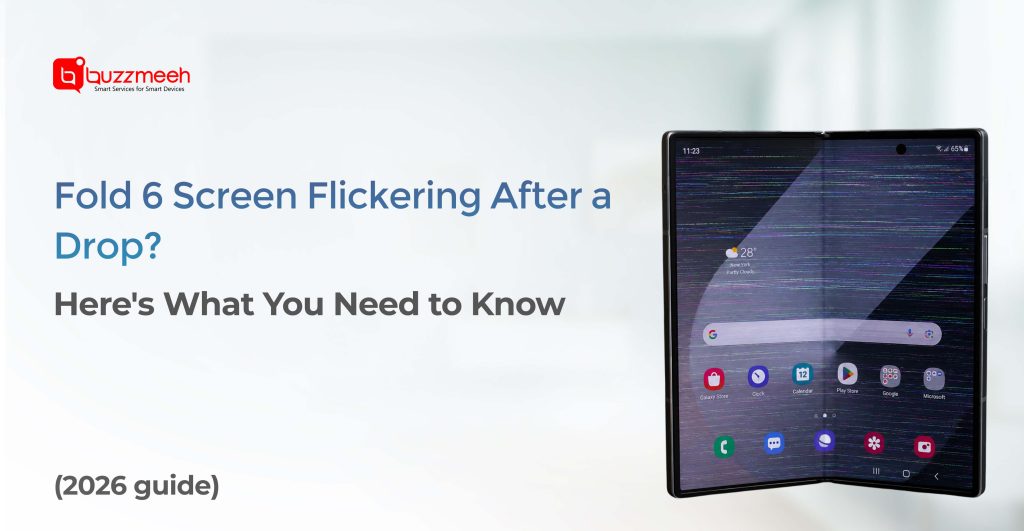
Fold 6 Screen Flickering After a Drop? Here’s What You Need to Know
The Samsung Galaxy Z Fold 6 is one of the most advanced foldable smartphones available today. Its innovative folding display, premium build quality, and powerful performance make it a favorite among professionals and tech enthusiasts. However, despite its durability improvements, a sudden drop can still damage the device—especially the delicate foldable screen.
If you’ve noticed your Samsung Galaxy Z Fold 6 screen flickering after a drop, don’t ignore the issue. Screen flickering can be an early warning sign of internal display damage that may worsen over time. Understanding the causes and available repair options can help you prevent further damage and restore your device quickly.
In this article, we’ll explain why a Fold 6 screen flickers after impact, how serious the issue can be, and what steps you should take next.
Why Does the Fold 6 Screen Flicker After a Drop?
A drop can affect more than just the outer glass. Foldable smartphones contain flexible display layers, display connectors, hinges, and internal components that work together to create a seamless folding experience.
When the phone hits the ground, even if there are no visible cracks, internal damage may occur.
Common reasons for screen flickering include:
Loose Display Connector
The impact can partially disconnect the display flex cable from the motherboard, causing intermittent screen signals.
Internal OLED Damage
The Fold 6 uses advanced AMOLED display technology. A drop can damage display layers underneath the surface, leading to flickering, lines, or brightness fluctuations.
Hinge-Related Stress
The foldable hinge mechanism is closely connected to the display assembly. A sudden impact may affect how the display folds and functions.
Display Controller Issues
Physical shock can damage display management circuits, causing unstable screen behavior.
Common Signs of Display Damage
Screen flickering is often accompanied by other symptoms.
Watch for the following signs:
Random Brightness Changes
The screen may suddenly become brighter or dimmer without adjustment.
Green or Purple Lines
Vertical or horizontal lines appearing across the display often indicate OLED damage.
Black Spots
Dark patches may develop and gradually spread across the screen.
Half-Screen Flickering
One side of the foldable display may flicker while the other appears normal.
If you notice multiple symptoms together, professional inspection is highly recommended.
Can a Fold 6 Screen Flicker Without Visible Cracks?
Yes.
This is one of the most common situations with foldable smartphones.
The external protective layer may remain intact while the internal OLED panel suffers damage from the impact.
Because foldable displays consist of multiple layers, damage isn’t always visible from the outside. Users often assume the device is fine because there are no cracks, only to experience worsening flickering days later.
Should You Continue Using the Device?
Using the device temporarily may seem harmless, but it can increase the risk of additional damage.
Potential consequences include:
- Complete screen failure
- Permanent black display
- Dead pixels spreading across the screen
- Touch functionality loss
- Increased repair costs
If the flickering started immediately after a drop, it’s best to have the device inspected as soon as possible.
Quick Steps to Take After Screen Flickering Starts
Before scheduling a repair, follow these basic checks:
Restart the Device
A reboot can eliminate temporary software-related display issues.
Remove Any Recently Installed Apps
Rarely, display conflicts can occur due to software bugs.
Check Safe Mode
Booting into Safe Mode can help determine whether a third-party application is causing the issue.
Inspect for Physical Damage
Look carefully for:
- Hinge damage
- Frame dents
- Display pressure marks
- Small cracks around the folding area
If flickering continues after these steps, hardware damage is likely responsible.
How Foldable Displays Differ From Standard Smartphone Screens
Traditional smartphone screens are relatively straightforward to repair because they consist of a rigid display assembly.
The Samsung Galaxy Z Fold 6 includes:
- Flexible AMOLED display
- Ultra-thin glass layer
- Folding hinge mechanism
- Display flex cables
- Internal protective layers
Because of this complexity, foldable screen repairs require specialized equipment and experienced technicians.
This is why choosing a professional repair provider is extremely important.
When Does the Fold 6 Require a Screen Replacement?
Not every display issue requires a full replacement, but several symptoms indicate that replacement may be necessary.
Persistent Flickering
If flickering continues regardless of software troubleshooting, the display assembly may be damaged.
Visible Display Lines
Green, white, pink, or purple lines often indicate permanent OLED damage.
Dead Pixels
Black spots or clusters of dead pixels typically worsen over time.
Touch Failure
Loss of touch functionality usually points to internal display damage.
Hinge Area Distortion
Damage around the fold line can affect display performance and usability.
A professional diagnosis can determine whether repair or replacement is the best option.
Why Professional Fold 6 Repair Matters
Foldable smartphones are significantly more complex than traditional devices.
Attempting repairs through inexperienced technicians may result in:
- Further display damage
- Improper hinge alignment
- Reduced screen lifespan
- Touch sensitivity issues
- Water resistance compromise
Professional repair services ensure proper handling of the delicate folding display.
Doorstep Samsung Fold 6 Repair with Buzzmeeh
For many users, visiting a service center can be inconvenient and time-consuming.
Buzzmeeh offers doorstep mobile repair solutions that bring experienced technicians directly to your home or office.
Benefits include:
Convenient Service
No need to travel across the city with a damaged device.
Professional Diagnostics
Technicians identify the exact cause of flickering before recommending repairs.
Genuine Quality Parts
High-quality replacement components ensure long-term reliability.
Transparent Pricing
Customers receive clear repair estimates before work begins.
Warranty Support
Repairs are backed by service warranties for added peace of mind.
How to Prevent Future Foldable Screen Damage
While accidents happen, a few precautions can reduce the risk of future display issues.
Use a Protective Case
Choose a case specifically designed for foldable devices.
Avoid Pressure on the Folding Area
Do not place heavy objects on the phone when folded.
Keep the Hinge Clean
Dust and debris can affect hinge performance over time.
Handle Carefully During Opening and Closing
Avoid excessive force when folding or unfolding the device.
Repair Damage Promptly
Small issues often become larger and more expensive if ignored.
Final Thoughts
A flickering screen after dropping your Samsung Galaxy Z Fold 6 should never be ignored. Even when there are no visible cracks, internal display components may have suffered damage. Early diagnosis can prevent complete screen failure and reduce repair costs.
Whether you’re experiencing minor flickering, display lines, touch issues, or hinge-related problems, professional inspection is the safest solution. Buzzmeeh provides reliable Samsung Fold 6 repair services with doorstep convenience, helping you get back to using your device without unnecessary delays.
Frequently Asked Questions
Q: Why is my Fold 6 screen flickering after a drop?
A drop can damage the OLED panel, display connectors, or hinge-related components, causing screen flickering.
Q: Can screen flickering go away on its own?
If the issue is caused by hardware damage, it typically worsens over time and requires professional repair.
Q: Does a flickering screen always mean replacement is needed?
Not always. A technician can determine whether the issue involves a connector, software conflict, or damaged display assembly.
Q: Is it safe to continue using a flickering Fold 6?
Temporary use may be possible, but continued operation can worsen display damage and increase repair costs.
Q: How much does Fold 6 screen replacement cost?
The cost depends on the extent of damage and the display components required. A professional diagnosis provides the most accurate estimate.
Q: Does Buzzmeeh offer doorstep Fold 6 repair?
Yes. Buzzmeeh provides convenient doorstep repair services for Samsung smartphones, including foldable devices.