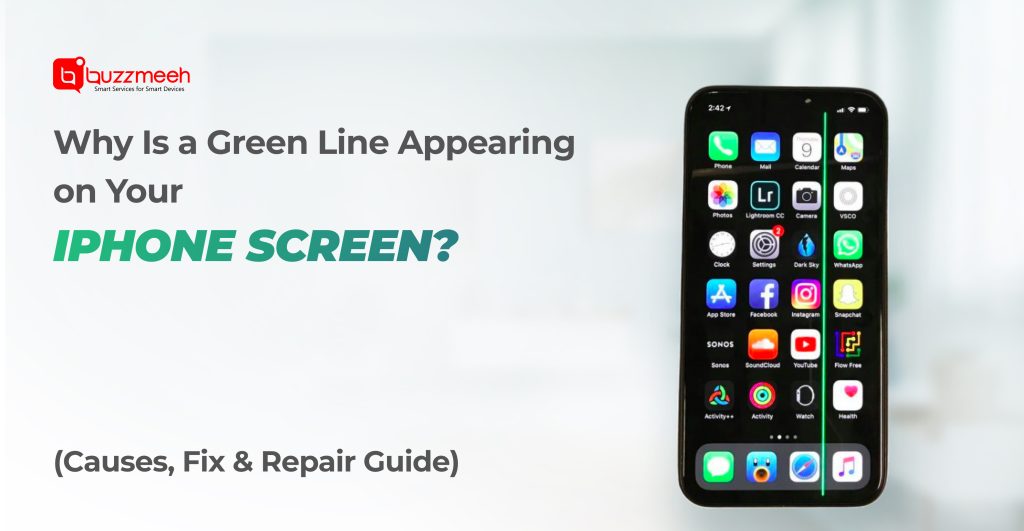
Why Is a Green Line Appearing on Your iPhone Screen? – Causes, Fix & Repair Guide
If you suddenly notice a bright green vertical line on your iPhone screen, don’t panic.
This issue has become increasingly common on modern OLED display smartphones, including many iPhone models.
The green line may appear suddenly while using the phone, after a drop, or even after a software update. In most cases, it indicates internal display damage, not a virus or software problem.
Read Also: iPhone Face ID Problem: Troubleshooting & Repair Guide
In this guide, we’ll explain:
- Why the green line appears on iPhone screens
- Whether your data is safe
- Temporary fixes you can try
- When screen replacement is necessary
What Does the Green Line on an iPhone Screen Mean?
A green line usually appears as a thin vertical line running from the top to the bottom of the display. Sometimes it may flicker, multiply into several lines, or appear permanently.
Common symptoms include:
- A single bright green vertical line
• Multiple green or pink lines
• Lines appearing when brightness changes
• Screen flickering along the line
In most cases, this problem is related to OLED display panel damage.
Read Also: iPhone Air Features: A Perfect Blend of Power, Style & Everyday Convenience
Why the Green Line Appears on iPhone Displays
1. OLED Pixel Damage
Modern iPhones use OLED displays. When some pixels fail or lose electrical connection, a vertical line can appear.
This is the most common reason for the green line issue.
2. Internal Display Crack
Even if the glass is not broken, the inner display layer may crack after:
- a drop
- pressure in pocket
- bending in tight jeans
This invisible damage can create vertical lines.
3. Display Flex Cable Damage
The display is connected to the motherboard through a flex cable. If the cable becomes loose or damaged, signal transmission problems can cause colored lines.
4. Software Glitch (Rare)
Occasionally, a system update or GPU bug may cause temporary lines on screen.
If the issue disappears after restarting the phone, it may be software related. However, most green line problems are hardware issues.
Read Also: Fast and Affordable iPhone Screen Repairs at Buzzmeeh: What You Should Know
Which iPhone Models Commonly Show the Green Line Issue?
This issue can appear on any OLED iPhone, including:
- iPhone X
- iPhone XS / XS Max
- iPhone 11 Pro / 11 Pro Max
- iPhone 12 Series
- iPhone 13 Series
- iPhone 14 Series
- iPhone 15 Series
- iPhone 16 series
- iPhone 17 series
As OLED displays age or experience stress, pixel lines may appear.
Is Your Data Safe?
Yes.
A green line problem does not affect your photos, contacts, WhatsApp chats, or apps.
The issue only involves the display panel. Your phone’s storage and motherboard remain unaffected.
So even if the screen needs replacement, your data stays intact.
Read Also: iPhone Earspeaker Not Working? Here’s How to Fix It Professionally!
Can You Fix the Green Line Without Replacing the Screen?
Sometimes you can try a few quick checks before repairing the display.
Restart Your iPhone
A simple restart may clear temporary display glitches.
Update iOS
If the issue started after a bug or GPU glitch, a software update might fix it.
Adjust Display Settings
Try reducing brightness or disabling True Tone temporarily to see if the line changes.
However, if the line remains permanently, it usually means the OLED panel is damaged.
When Screen Replacement Is Required
If the green line:
- stays visible permanently
- increases over time
- appears after a drop
- spreads into multiple lines
Then the only permanent solution is iPhone display replacement.
Because OLED panels are sealed components, pixel damage cannot be repaired individually.
iPhone Green Line Screen Repair Cost in India
Repair cost depends on:
- iPhone model
- display quality (OEM or LCD)
- service warranty
Typical screen replacement ranges from:
₹4,000 – ₹18,000+ depending on device model.
Newer flagship iPhones with advanced OLED panels usually cost more.
Read Also: Why Choose Doorstep iPhone Repair Services in Dehradun?
How to Prevent the Green Line Issue
Although not always preventable, these tips can reduce the risk:
✔ Use a shock-proof phone case
✔ Avoid sitting with phone in pocket
✔ Keep the phone away from heavy pressure
✔ Avoid overheating during charging or gaming
✔ Use high-quality tempered glass
Preventing pressure damage is especially important for OLED screens.
Final Thoughts
A green line on your iPhone screen may look alarming, but it is usually a display hardware issue rather than a serious device failure.
In most cases:
- Your data is completely safe
- The phone will continue working normally
- Replacing the display restores the phone fully
If the line is minor, you can continue using the phone temporarily. But if it becomes distracting or spreads, screen replacement is the best long-term solution.